
I am all about using things in the Power Platform that make my life easier and allow me to do things faster. I also check every so often to look through the list of connectors for Power Automate to see if there is anything new, or anything that I think might be useful that I haven’t come across before. I looked the other day and noticed a Calculate Working Day connector from a company called Mightora.io. This post is in no way affiliated with them, and they haven’t asked me to write it, I just thought it was cool and wanted to share. If you think this might be of interest, go ahead and take a look through this short post.
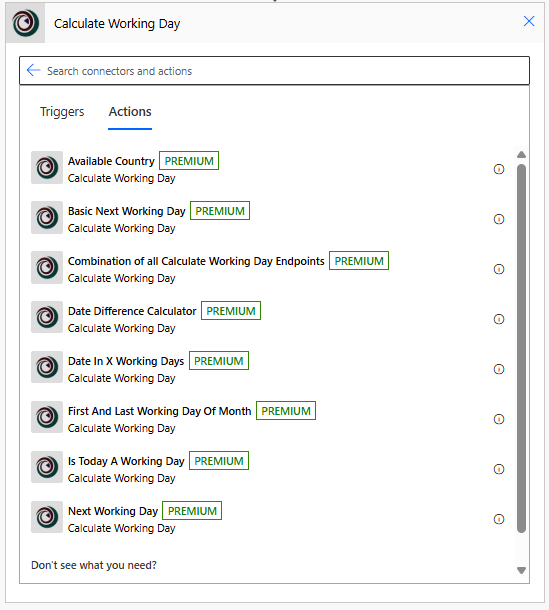
First, you can find the connector by searching for Calculate Working Day when creating a flow in Power Automate. There are no Triggers but quite a few Actions which you can read about on the connector page. There are some interesting options that you could use for a variety of things. I went for the Is Today A Working Day option.
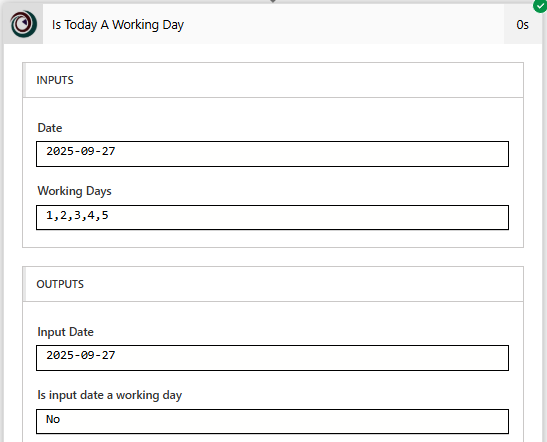
The input is a date with numbers that determine the working days, 1 being Monday, 5 being Friday. The output shows either Yes (true) or No (false) if it is a working day. Below was Sunday so the response was false and not a working day.
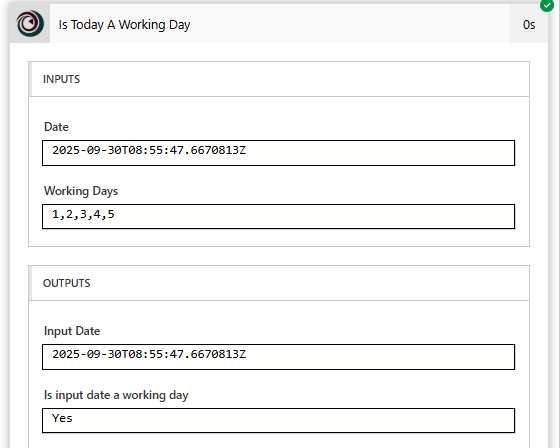
This date was a Tuesday so the response was true and it is a working day.
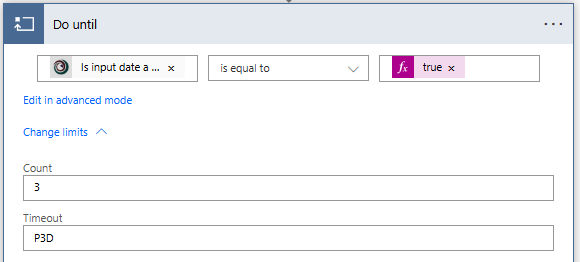
So how could you use it? Depending on your requirements you might want to check something daily and if it is a working day DO SOMETHING, and if not, end the flow. In my example below, I have a flow that will run when something happens then check if the current date is a week day before doing anything. Using a Do until step, we can check for 3 days (P3D) to check a maximum of 3 times to see if it is a weekday. This works in the case of working days being Monday through Friday. The conditional check to see if this should run again is if the output for Is working day is true (then stop this check).
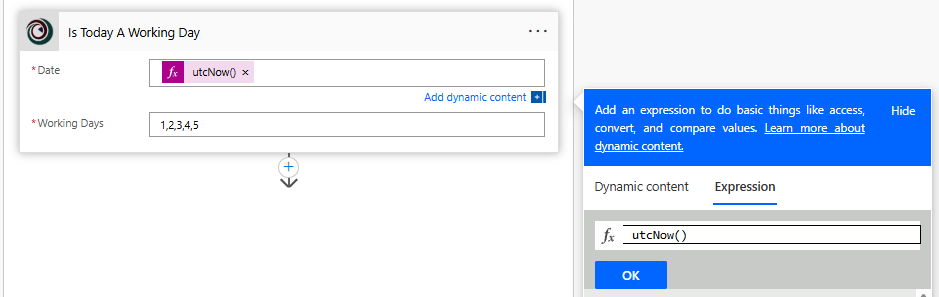
The next step would be to add the Is Today A Working Day action from the trigger, and pass through the utcNow() expression.
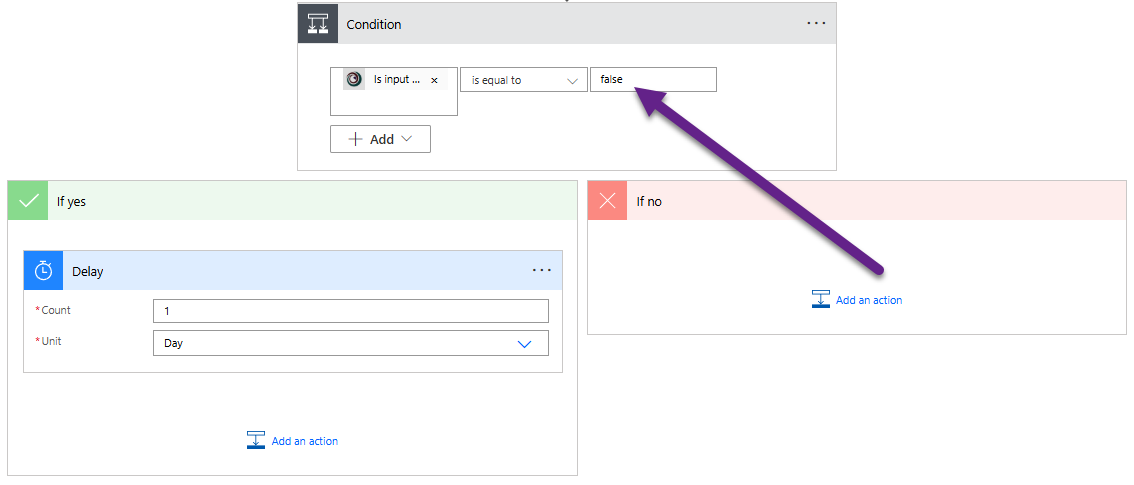
Then we have a condition. If the output is false (meaning it is NOT a working day) we can add in a delay of 1 day in the Yes path so that it checks again the next day to see if it is a working day.
That’s it, pretty simple yet could be very effective and save you from writing a lot of extra expressions to figure this out for yourself. The connector does have the ability to check for bank holidays (national holidays) but currently only for the UK which makes it a little harder for any global international organisations.






Leave a Reply