
*** NOTE: ALL INFORMATION IS ACCURATE AT DATE OF PUBLISHING ***
In a previous post on Custom Pages, I showed how you can add a button to the command bar (ribbon) on one of your model-driven apps. What if you want to include it in all apps that have the specified table (entity type) included in it? Is it possible? Well the quick answer is yes, it is possible, BUT with quite a few quirks and limitations. I wanted to share details so if you are wondering the same you have an idea of when to use it and when to avoid this approach.
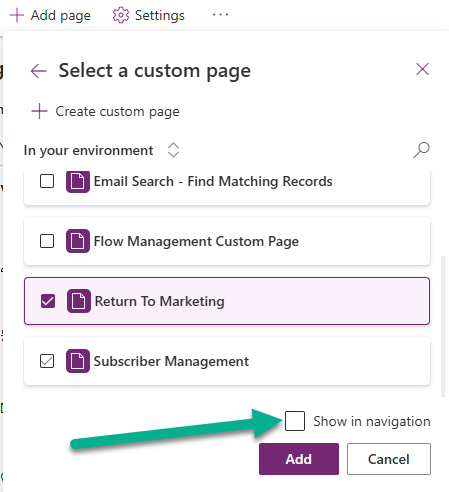
First, if you want to add a button to open a custom page from one of your records, make sure you check out this post as it shows how to create a web resource with a script that opens your page. Your script will be the same regardless of if you add it to a specific model-driven app, or the entire table (meaning all model-driven apps that have that record included). This brings us to the first thing that is a bit of a pain. Your custom page will still need to exist in all of the model-driven apps where you want to be able to open it from so you would need to add it to each one individually first. This is the first negative in taking this approach.
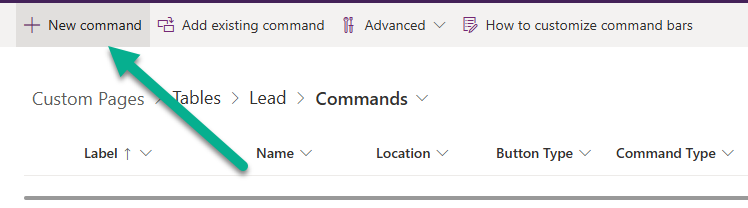
OK so lets assume you added your custom page to all of your model-driven apps. You can still save time by editing the command bar once. To do this, go to a solution, then the table you want to edit it for, then commands and then new command. We are now editing the table command rather than the command for a specific app.
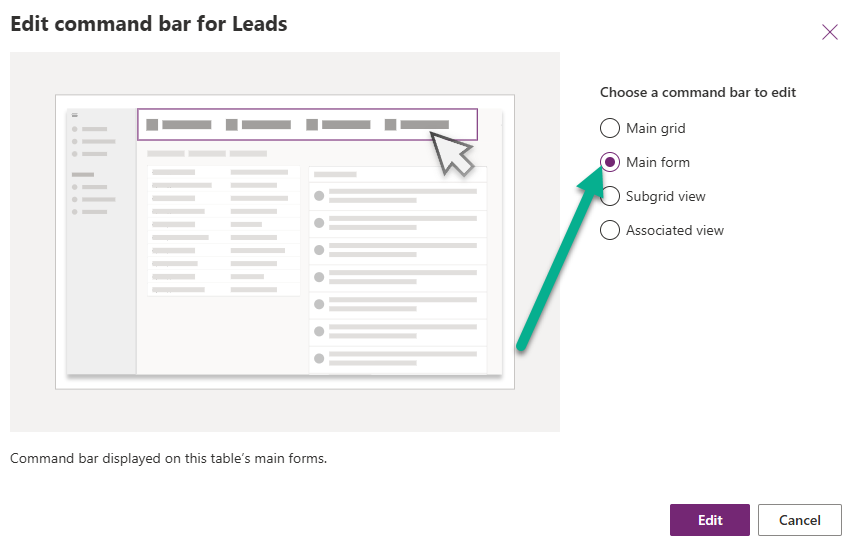
You will be prompted to select which command bar you want to edit.
Now following the other post you would add your new command, link to the correct web resource that runs to open the custom page, pick your icon and happy days. Now let’s just add some logic on the visibility of the button so it only shows with specific conditions. In theory we could just go to the visibility section on the command and pick Show on condition from formula.
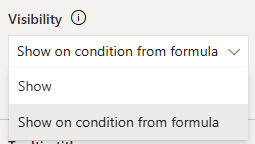
But here is where we hit our next roadblock 🙄- we can’t do that. Only the Show option is available. In fairness to Microsoft, they do note this in the documentation under command bar designer limitations. here is what they say:
Editing commands on the commands page from the Solutions or Tables areas in Power Apps (make.powerapps.com) doesn’t have the capability to set
Run formulaas the action orShow on condition from formulaas the visibility rule. These capabilities are only available when editing commands from within the modern app designer.
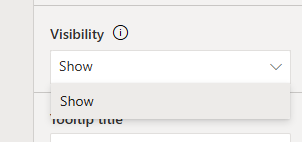
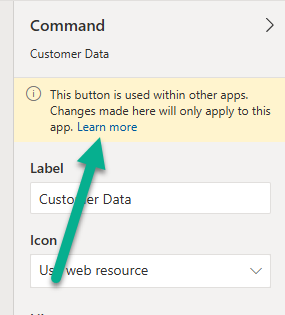
So, if you NEED to show or hide the button based on different conditions, you would still then need to go in to each individual model-driven app to edit the command. When you do this, you also get a message that tells you the button is used in other apps and your changes would only apply to that specific app. Sad face!
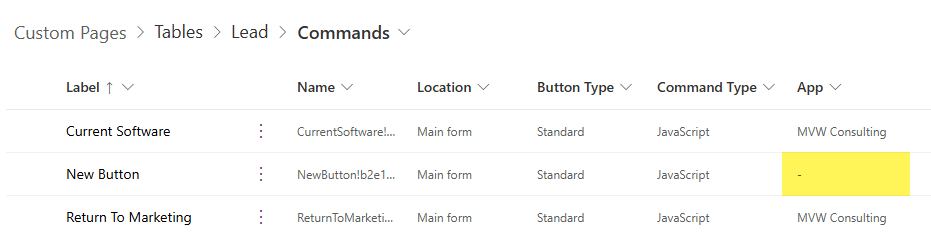
Finally, when you review the commands for that table, the absence of an app tells us it is at the table level rather than the app level.
Check out the latest post:
Setting Up reCAPTCHA v2 For Your Realtime Marketing Forms
Considering Custom Pages?
Thinking about using Custom Pages but unsure where they fit best?
I help organisations design model-driven experiences that are intuitive, scalable, and built for real users, not just technical possibility.
This is just 1 of 571 articles. You can browse through all of them by going to the main blog page, or navigate through different categories to find more content you are interested in. You can also subscribe and get new blog posts emailed to you directly.