
*** NOTE: ALL INFORMATION IS ACCURATE AT DATE OF PUBLISHING ***
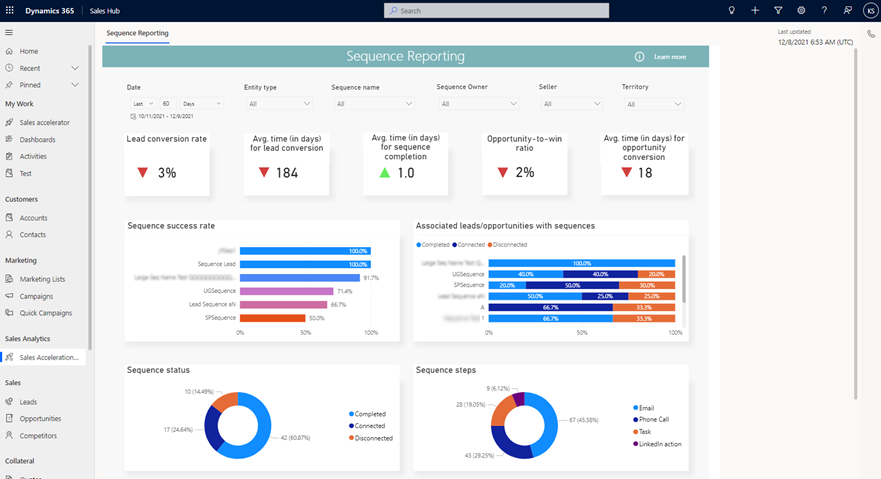
If you’ve been using sequences, one of the things that is going to be useful is the sequence reporting, an out of the box Power BI report that is embedded in to the Sales Hub app. It will show things like the Lead conversion rate, sequence success rate, and opportunity to win ratio. It can only be turned on if you have a certain license (currently Dynamics 365 Premium). This one is pretty quick and simple to set up, so let’s take a look at how to turn on Sales Sequence Reporting and what the process looks like.
First, go in to the Sales Hub app, then Global settings, then Sequences. Click on the Settings icon from the top of the sequences section.
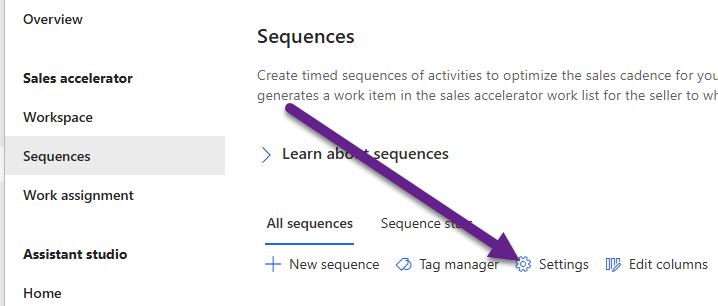
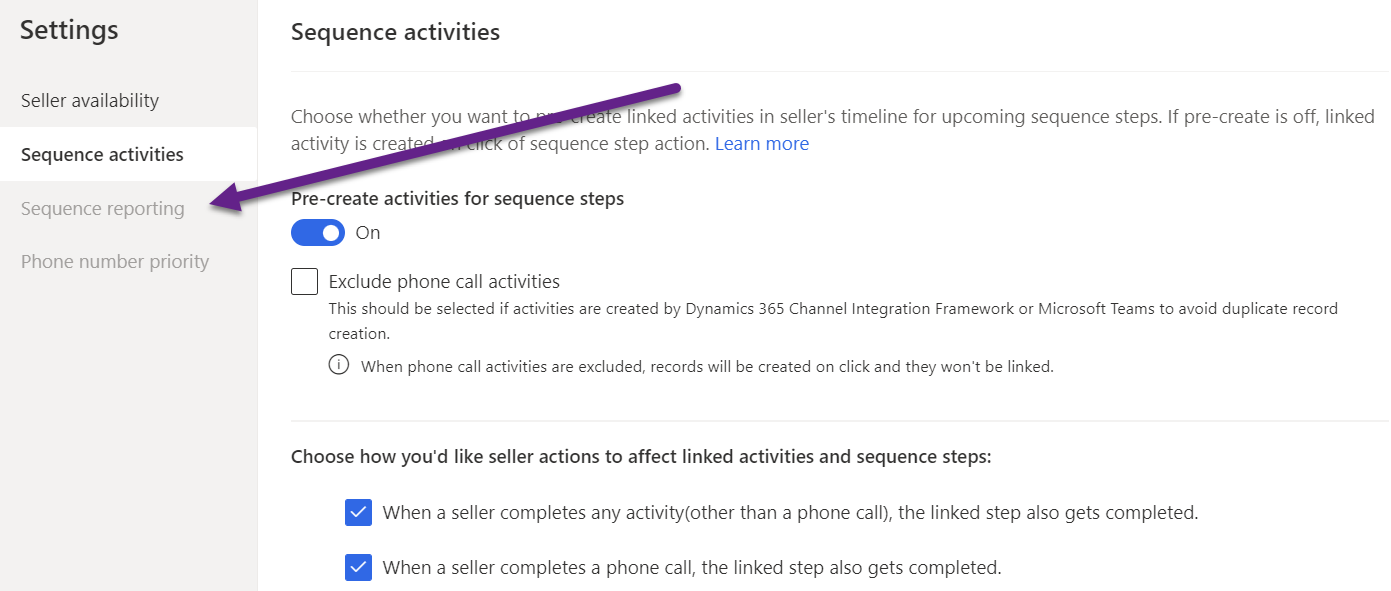
If your Sequence reporting option is greyed out, it is most likely based on licensing so check with your Administrator first before contacting Microsoft.
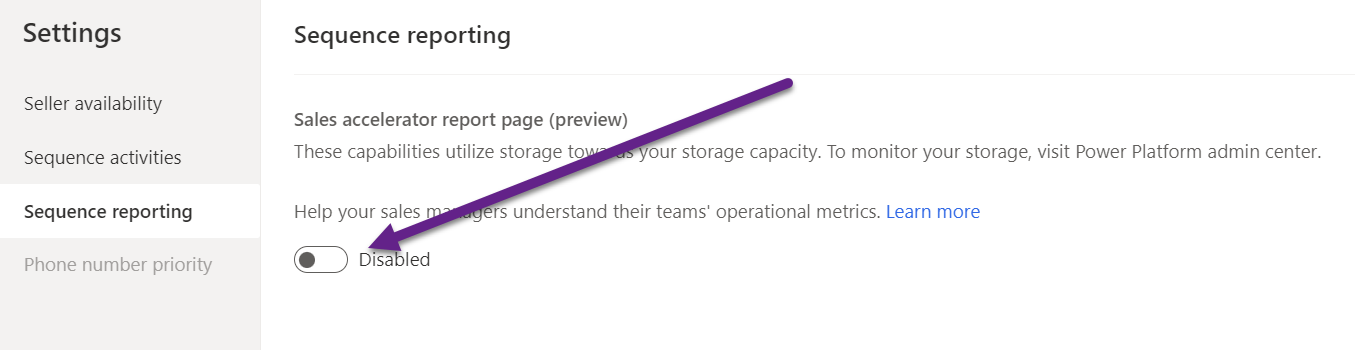
Once you’ve got that sorted, you should be able to click on Sequence reporting and change from Disabled to Enabled. Simple!
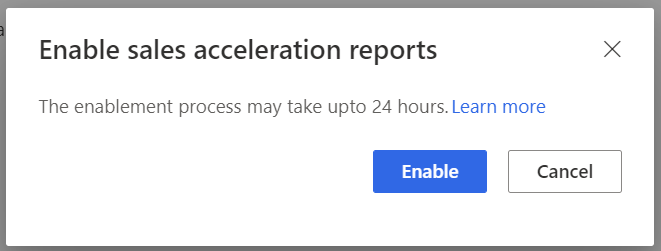
You’ll be informed it could take up to 24 hours before this is all set up. Click Enable and come back to it all tomorrow!
You should then see the Sales Acceleration option in the Sales Analytics option from the Sales Hub app.
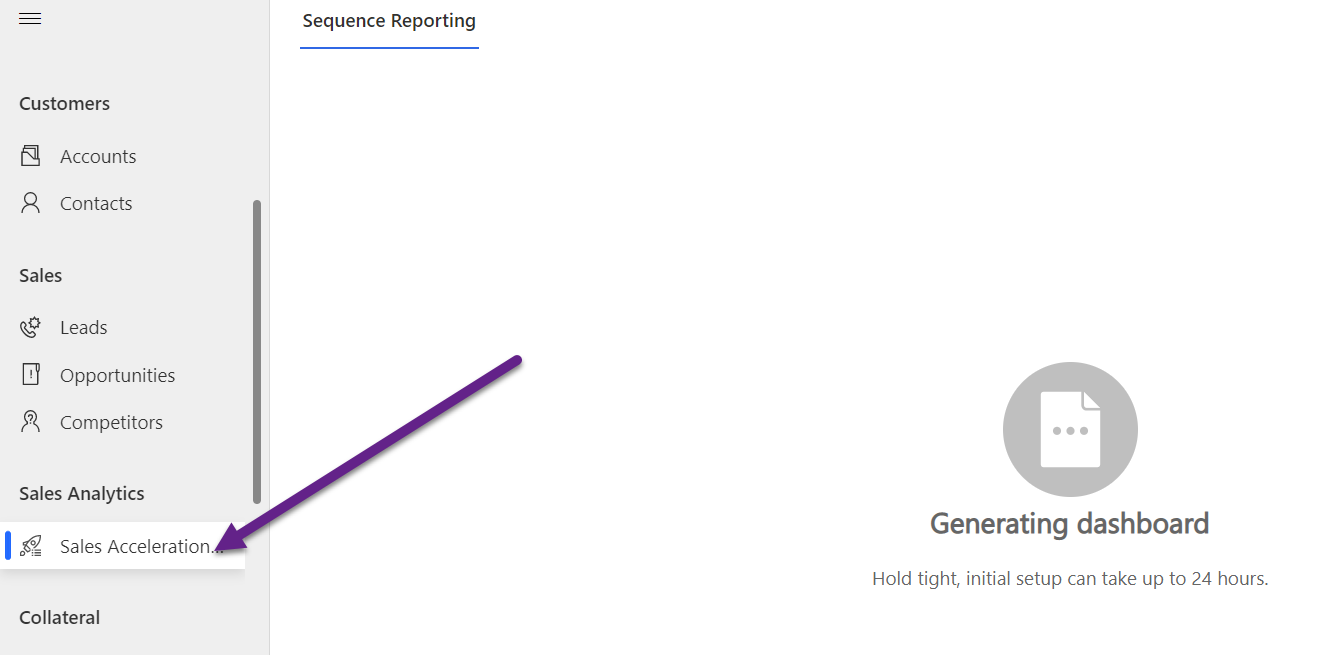
By default, the users with sales manager and sequence manager roles can view the reporting page. You can of course add this access to other security roles if you want different people to be able to see it.

After about a day, you should start to see your Sequence Reporting report with some data. That’s it! Nothing more complicated involved. 😍
Check out the latest post:
Assign Records To A User Or A Team From Your Custom Page
This is just 1 of 571 articles. You can browse through all of them by going to the main blog page, or navigate through different categories to find more content you are interested in. You can also subscribe and get new blog posts emailed to you directly.