
Most websites have some kind of search functionality, especially if you have a blog. If you do, you can use this to your advantage and build a segment to find people searching on your website for specific keywords. This could be useful for a triggered journey to send more information if someone is looking for something specific, or in the case of this article, create a segment that can then be used to send an email. This approach might not work for everyone, but hopefully you can spot an easy way to spot the website visits that indicate someone has tried to find something. Let’s take a look.
First, you need to have the website tracking code added to your website. If you haven’t done that yet, go and check out this post to get it sorted. It works by adding a cookie to the browser of the Lead or Contact when they first click on a link from one of your emails (or fill out a form) that takes them to your website. Then the cookie lasts for a year. This then gives you website interactions on the Insights tab for each record.
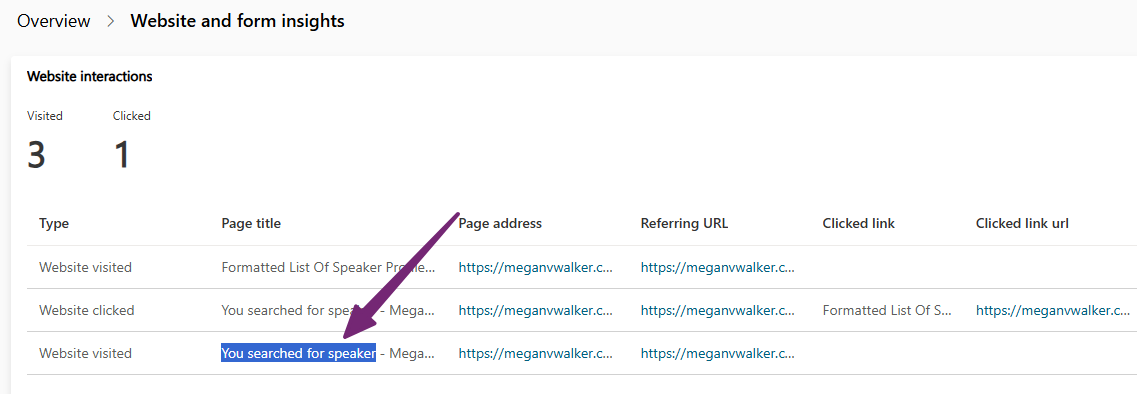
We can also see the activities in the timeline.
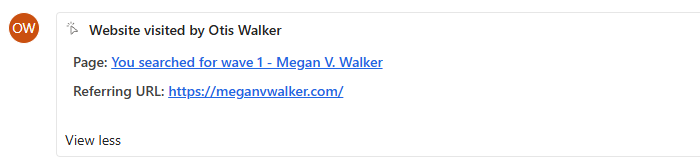
So how can we build a segment to find these people? Well, notice that in my website visits it has the term ‘You searched for’ then the key word(s) used in the search? Your site likely has something similar. Maybe not the same wording but likely something along those lines.

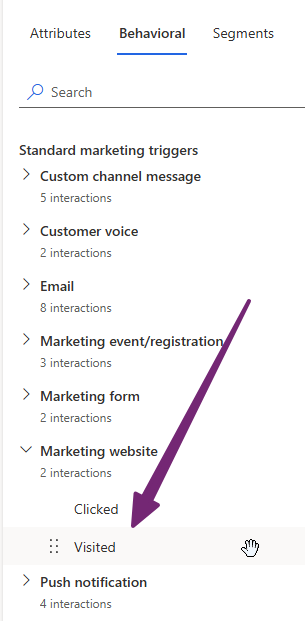
For the segment, we need the Behavioral tab, then Marketing website and use visited. Visited means they did the search, but clicked would be if they clicked on anything from the returned search results page.
You can then use Page Title begins with, and whatever shows at the top of the page after you’ve done a search.

That gives me all of the people who have done a search in the last 28 days, but I could then drill down further and put specific keywords I want to know about to filter it down for a campaign for an event, product or service to email people who have been searching about it.
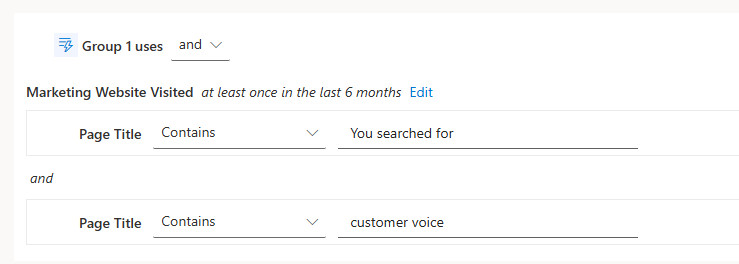
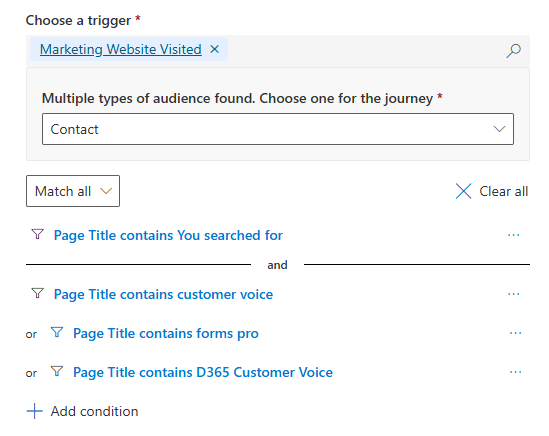
If you wanted to set something up using a trigger rather than a segment, you can do it like this. Just remember that people can use all kinds of search parameters and keywords when looking for something, so you might have to include several conditions using the ‘match any’ logic.




Leave a Reply