
A client recently wanted to know if someone had answered a custom question on their Event registration form with either Yes or No. Using custom event registration questions can feel like responses are going in to a black hole, but you can learn more about them in one of my previous posts and understand how they are created and stored, and where to see the responses easily. But what about using the responses in a journey, is that possible? Good news, yes it is! Let’s walk through and review how to do it.
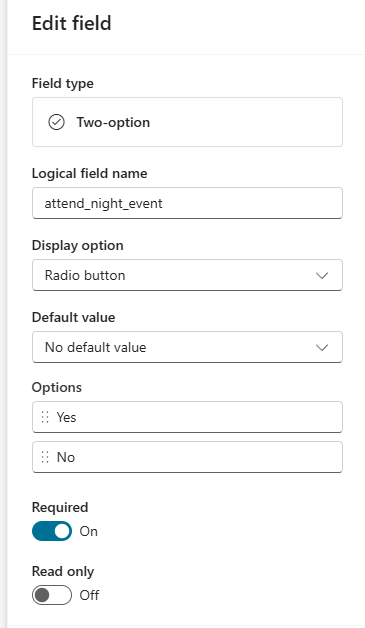
First, lets look at a user case, you are holding an event and there is an option to attend a night time dinner or party. You create a custom registration question and add it to the form. It is always a good idea to then save that for future use so others can add to their forms if needed. Otherwise you just get a ton of fields named the same thing for the same purpose and it would be MESSY! This one is a two option radio field with Yes and No as the options.
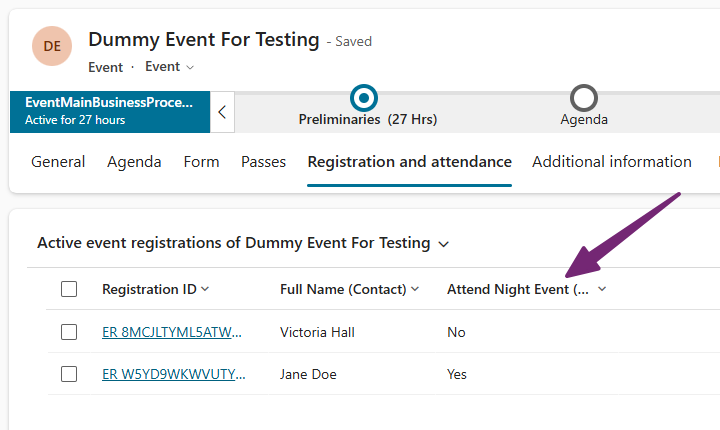
If you are adding this for the first time, you may need to submit the form once first to force the field to go on to the custom registration table and update the custom view for you (again, go back to my previous post to review why this is important).
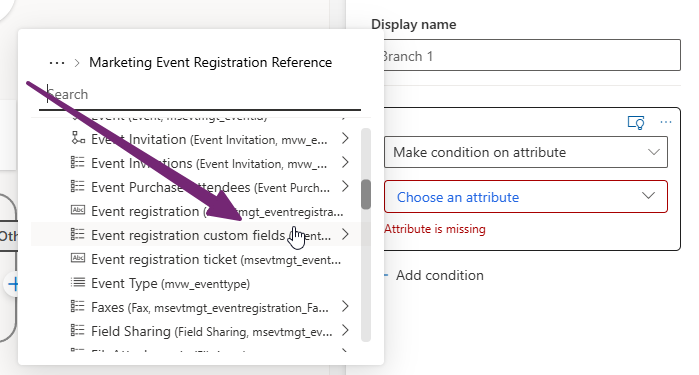
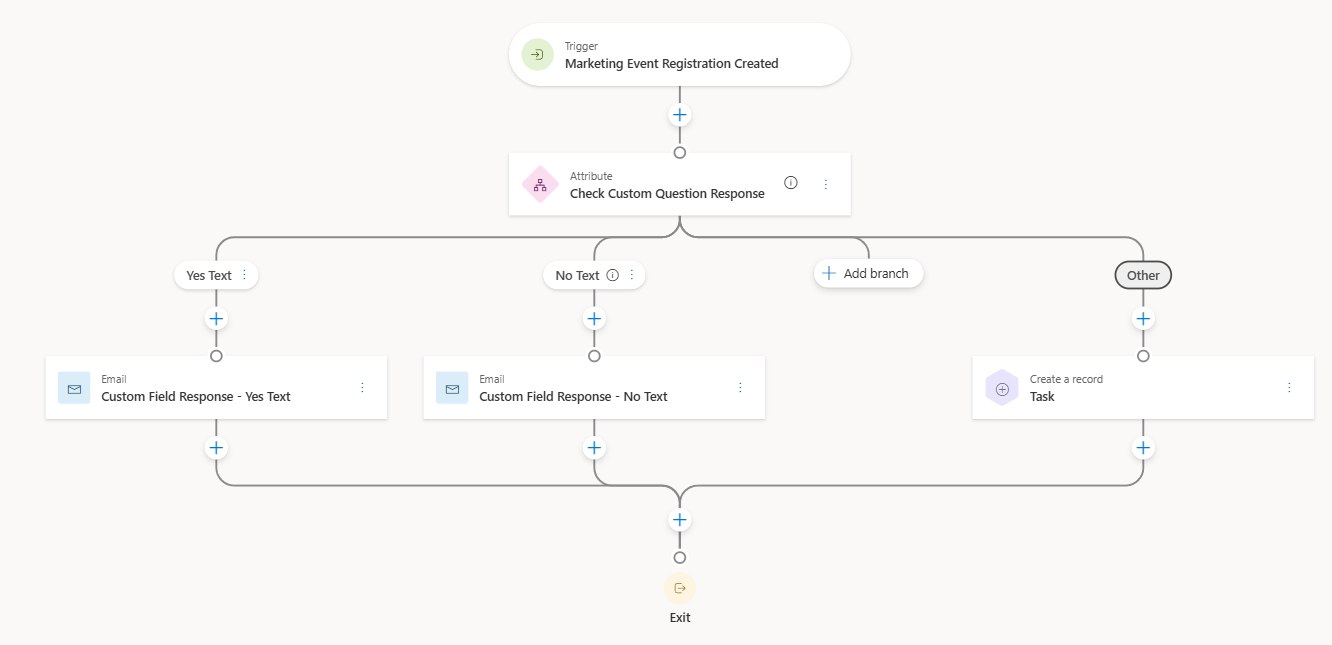
Now on to the Journey. We can do an attribute branch and go via the out of the box (or custom) trigger that runs when an Event Registration is created. If we go in to the Event Registration, there is a link to the Event registration custom fields table, awesome! You should be able to click on that, and then find your custom unmapped field.
From there, we can add our check and put that the value of this field equals Yes (or whatever text you added for the option on your custom field).
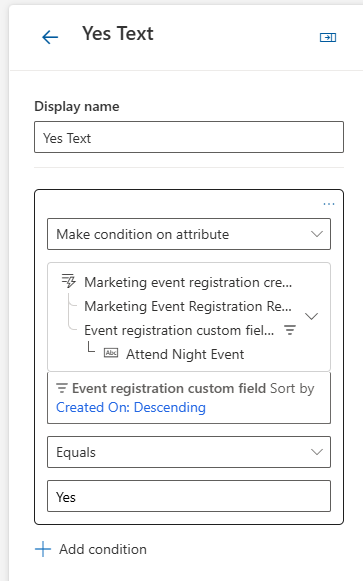
Use the branches to add in the different options for your custom field. This way we can then branch out and send an email with specifics for the evening event to those who answered Yes that they would attend, and something different to those who said No! You can just go with a Yes path and an Other path if you wish when you have two options only, or leave Other with just creating a task (or doing nothing) so it’s easy to spot anyone who went down it that shouldn’t have.
Hope this is useful for you!




Leave a Reply