
Good question right, how can you access event registration custom questions and answers? Sometimes something that seems it should be so easy is not all that simple to find or understand. I must admit, even though I’ve used a few custom (or unmapped) fields on forms, I hadn’t started collecting any extra feedback for myself on an event registration form. When you just add fields for a Contact for an Event, it’s pretty easy to see all that information on a list of Event Registrations. If you’ve started using unmapped fields for Events, do you know how it all works and hangs together? I hope my digging and poking around a bit helps give you some light bulb moments of your own.
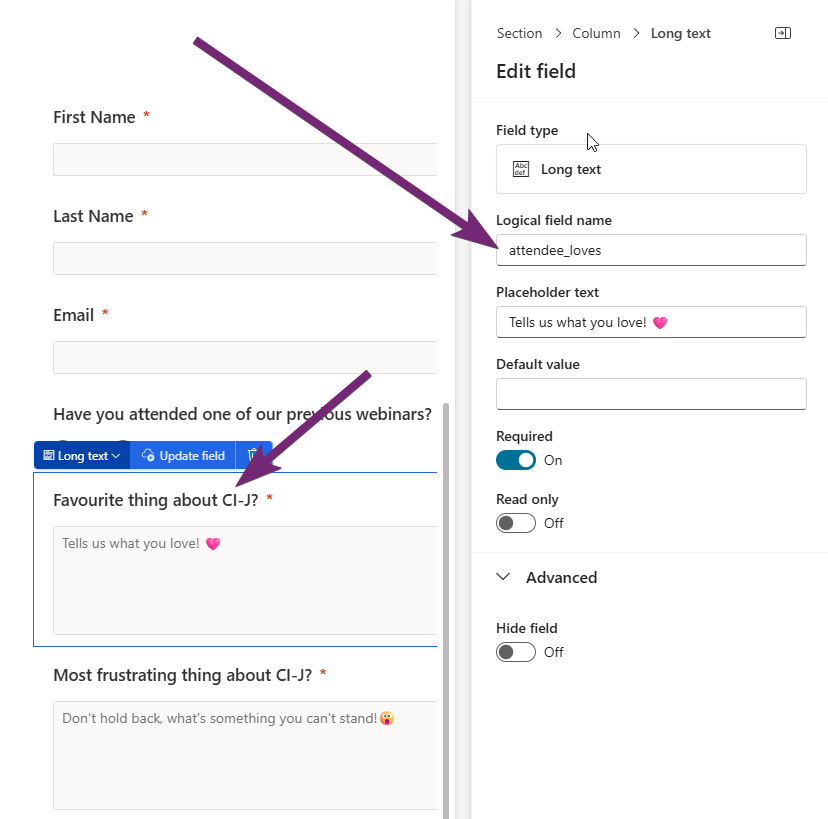
First, this is what I am referring to. You can add unmapped fields on to an Event (and Marketing) registration form. However, unmapped fields you add and save on a regular marketing form are not available to add to an event registration form and vice versa. When you add a field, give it a logical field name, something that makes sense rather than the generated name it will be given by default. For example, all of my attendee questions have that as a prefix to make them easier to find later on. You can then still use your placeholder text and also set the label for the question.
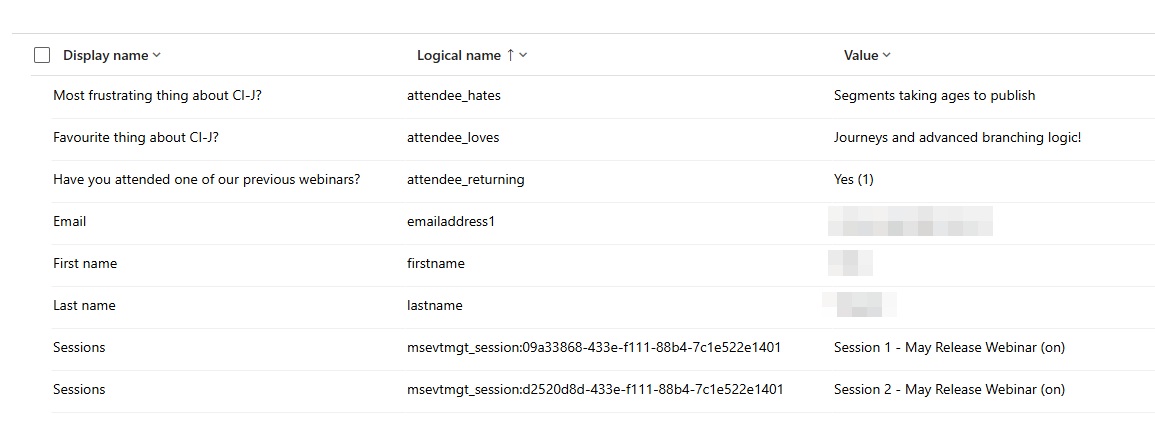
On the form submission for the Event Registration, we can see the Display name comes from the label on the form, then the logical name you set, and the value is the response given.
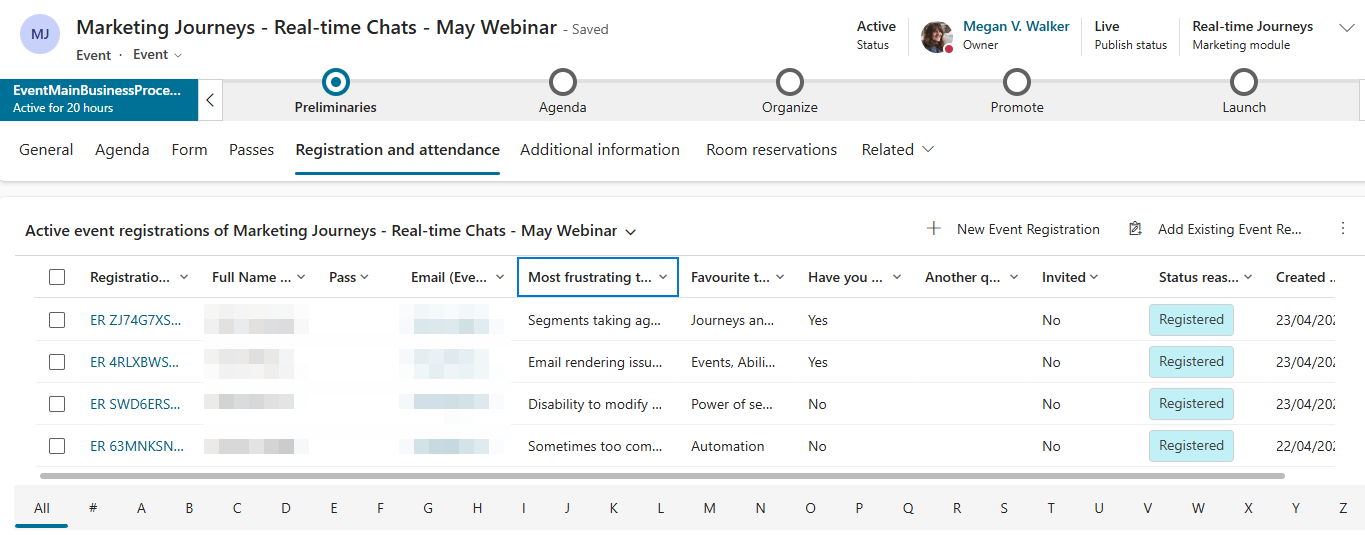
If you go to the out of the box Event form (not a customised one) the registration and attendance tab is MAGICAL! 🪄 There is a view just for my event, and it just knows what information to display! Woohoo! How on earth does it actually know though? Also, notice that it has a link to the registration and the full name of the Contact and their Email which is on the new views by default.
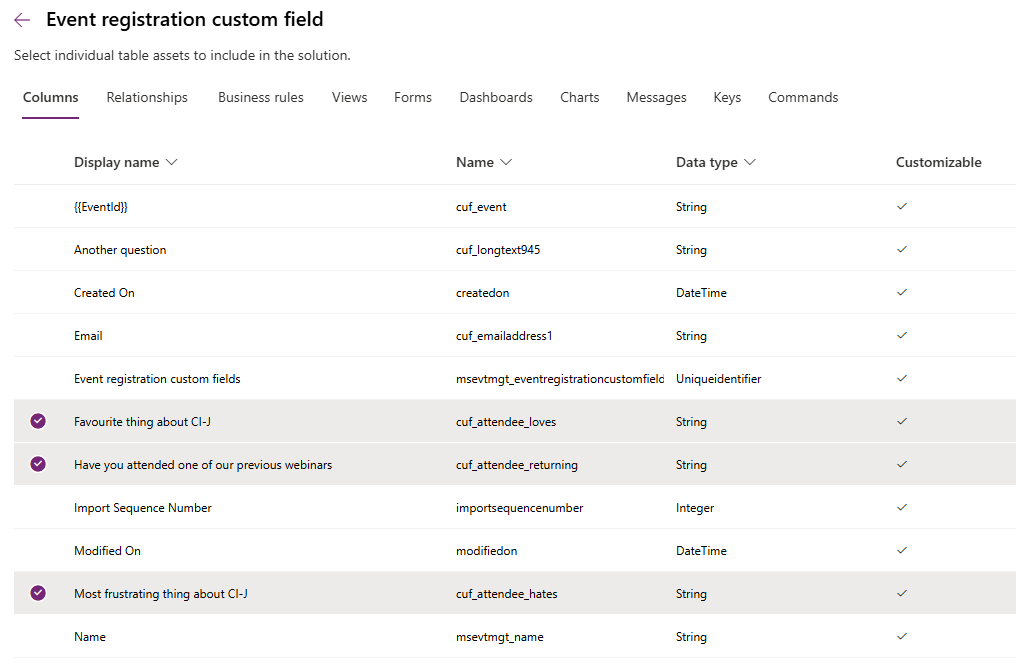
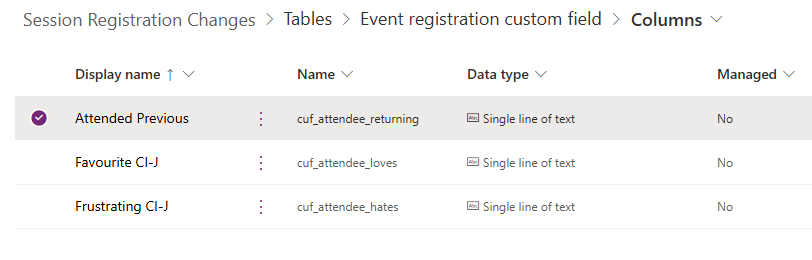
Right so this is where the digging comes in. Looking at that tab on the form in the editor and seeing what it is pulling from, it is showing Event registrations. Hmm, but how does it get all the custom fields in the columns? Well, the Event registration custom field table is the answer. Add new fields (you don’t even need to save them for future use) and you can see them in the list of fields (columns) like you see below. This is truly a thing of beauty. If you are using a custom form, you will be unlikely to get this all working without taking a copy of the out of the box form. There are over 50 scripts that run and many fields you might not even have on your form that are still needed to make it all work.
But how does it know to add them to that view for the Event? Well, again, on the Event Registration table we can see that there is a view created for each event where I added in some custom unmapped fields. I love this. 😍
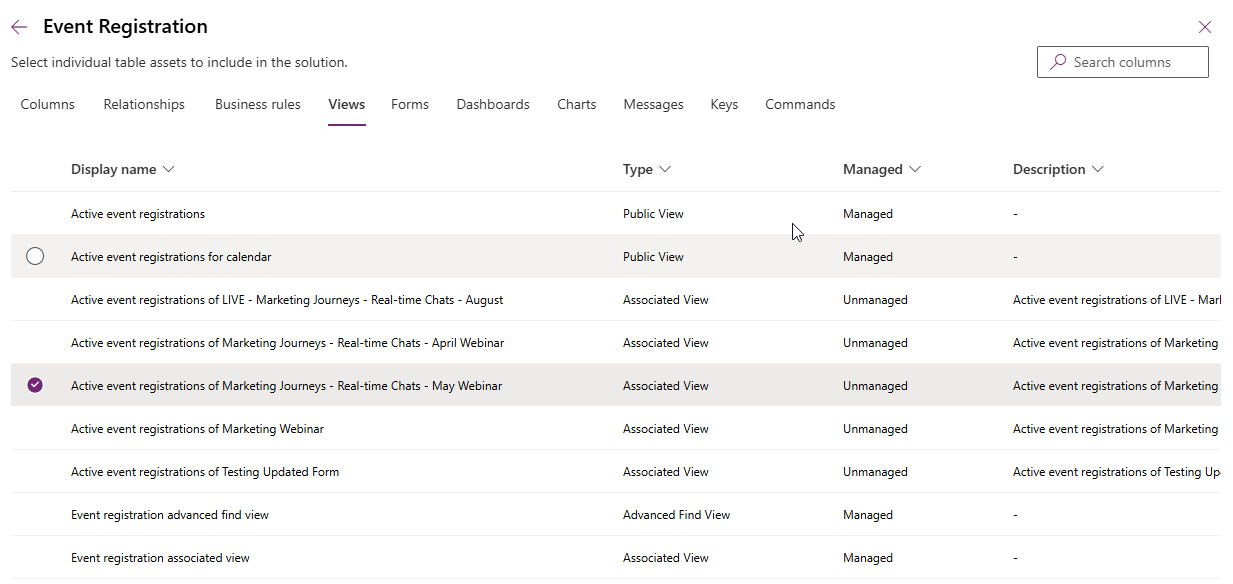
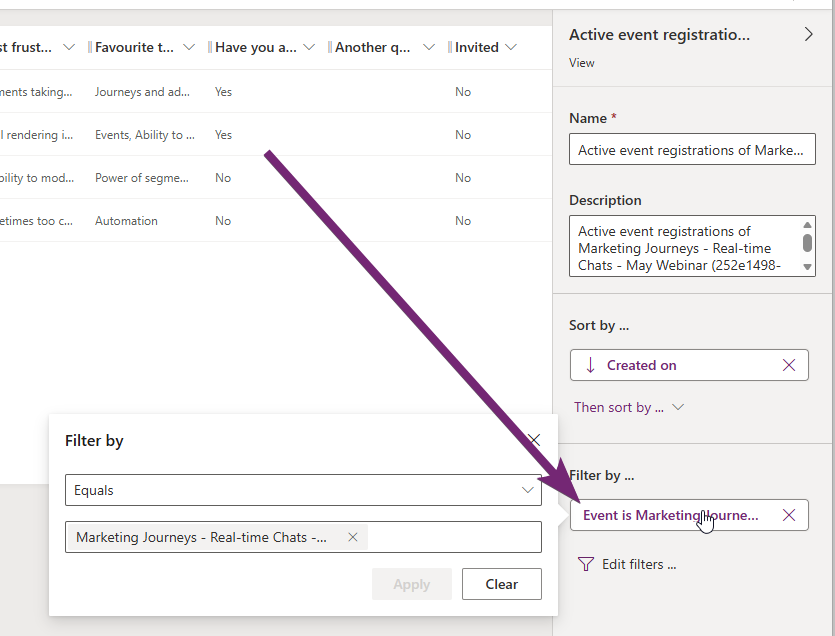
If I open the view for the May webinar, the filter is the Event where I used those fields. Everything is created and populated for me.
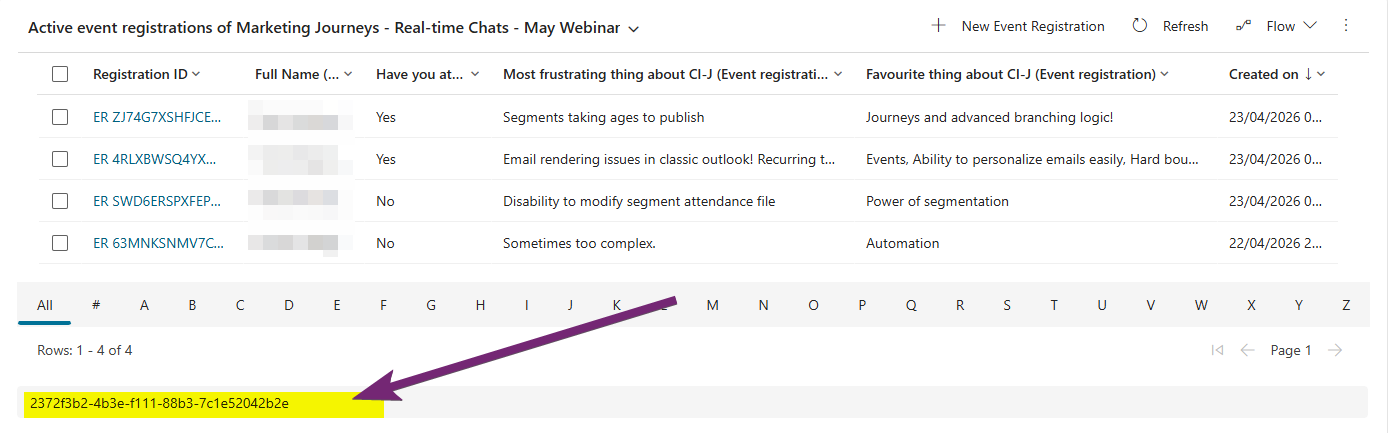
What is actually happening is that a hidden field is being populated with the GUID from the new view created so that it shows the overview with the custom fields by default when you look at the Registration and attendance tab.
I figured I would see what I can do in terms of changing the view and columns slightly to see what impact it had on other things. I renamed the new fields that were created in the Event Registration Custom field table, so they were shortened rather than being the full label from the form.
I then moved things around and removed a lot of the other fields that I didn’t want. This gives me what I truly need. Now I am not suggesting you do that each time, but I found it helpful to understand that I can do this if I needed or wanted to for a given event.
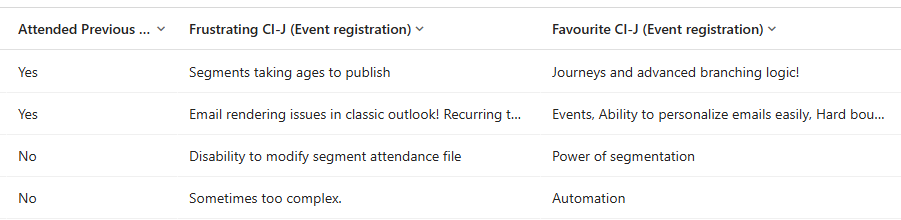
From here I can easily export the view of the registrations along with the answers given on my custom fields. Awesome!







Leave a Reply