
One of the interesting aspects of learning a new CRM system isn’t learning new features necessarily. It’s learning how expected features work in each one. For example, trying to prevent or even anticipate duplicate records should be a given for any tool you’re using but digging in rather than making assumptions is key. Dynamics 365 has duplicate detection rules, but they can be ignored (we’ve all been there!). You can merge records too, but only one at a time. What about in HubSpot? Rather than making any assumptions, I delved right in to find out.
Preventing Duplicates with Unique Property Values
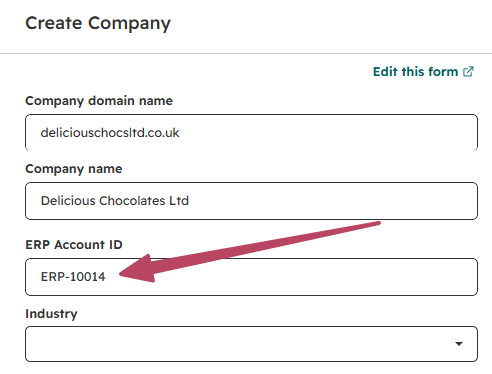
In my example I wanted to see how I could prevent companies from being created with the same ERP ID. I’ve got an existing field that I’ve added to the create company screen layout.
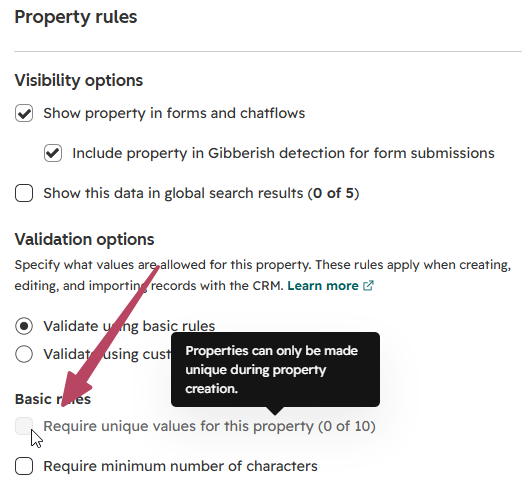
Back on the property, you can require unique values (unique key) but ONLY when you initially create the property, otherwise it’s locked. This makes sense and would be the same in D365, and should really be the case for any database for consistent clean data.
So if you want to force uniqueness this needs to be planned out before you create new properties on an object, plus you get 10 properties only that can have this setting.
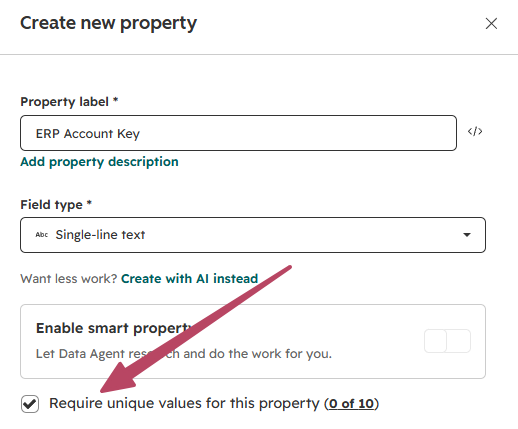
Once this has been done, users will be unable to create a new record if one already exists with the same value. Perfect!
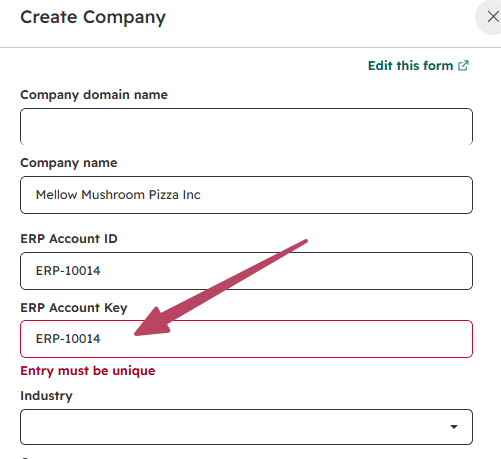
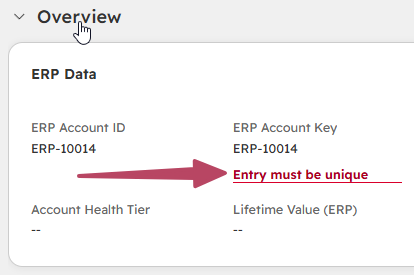
Same with updating an existing record, the message is clear that it must be unique.
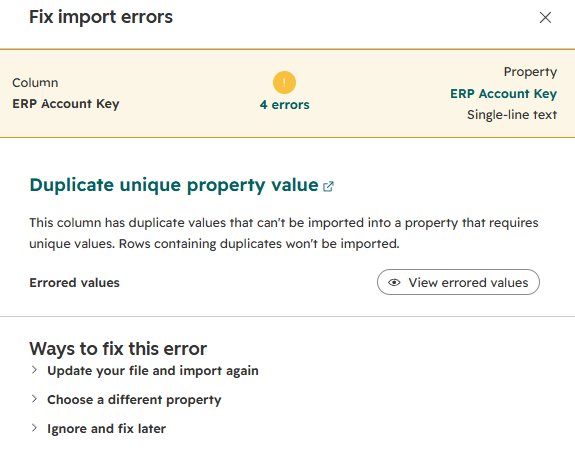
Importing records stops messy duplicates too, with a clear message showing errors that there are duplicate unique property values that can’t be imported.
Finding Potential Duplicates with Detection Rules
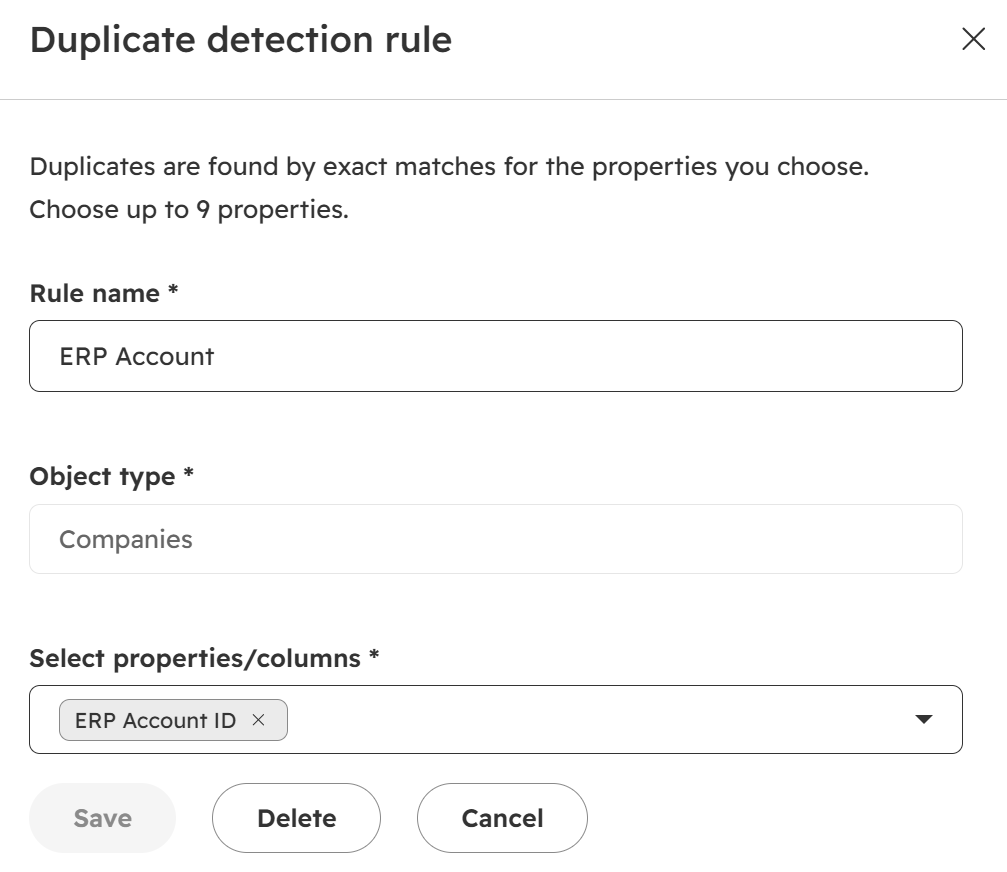
OK, so that works for values that truly need to be unique, and there shouldn’t be any way to force a duplicate. Sometimes you might not want to take that approach, and the user should be allowed to create a new record with the same value in a property. This is where you duplicate detection rules come in. From Data Quality we can configure rules to determine what might constitute a duplicate. In this case, I can add the initial ERP Account ID property. Give the rule a name and save it.
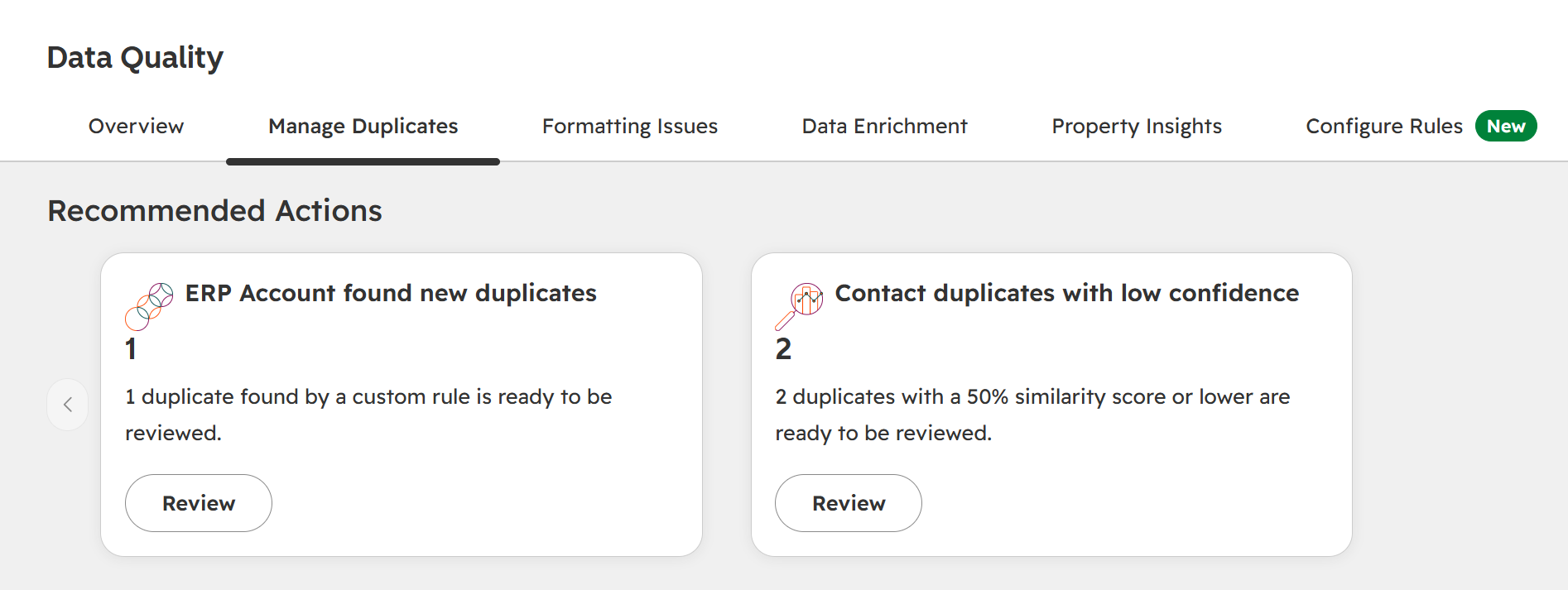
Next time a new record is created, or the duplicate sync runs, we can see it found a potential duplicate using our custom rule.
Managing Duplicates with Merge Rules
We can also create duplicate merge rules to help determine which the ‘winning’ record might be to help us know which to merge in to others. This gives us the ability to determine which properties or other criteria should be considered first, then next and finally what happens if multiple records meet the criteria to determine the right record.
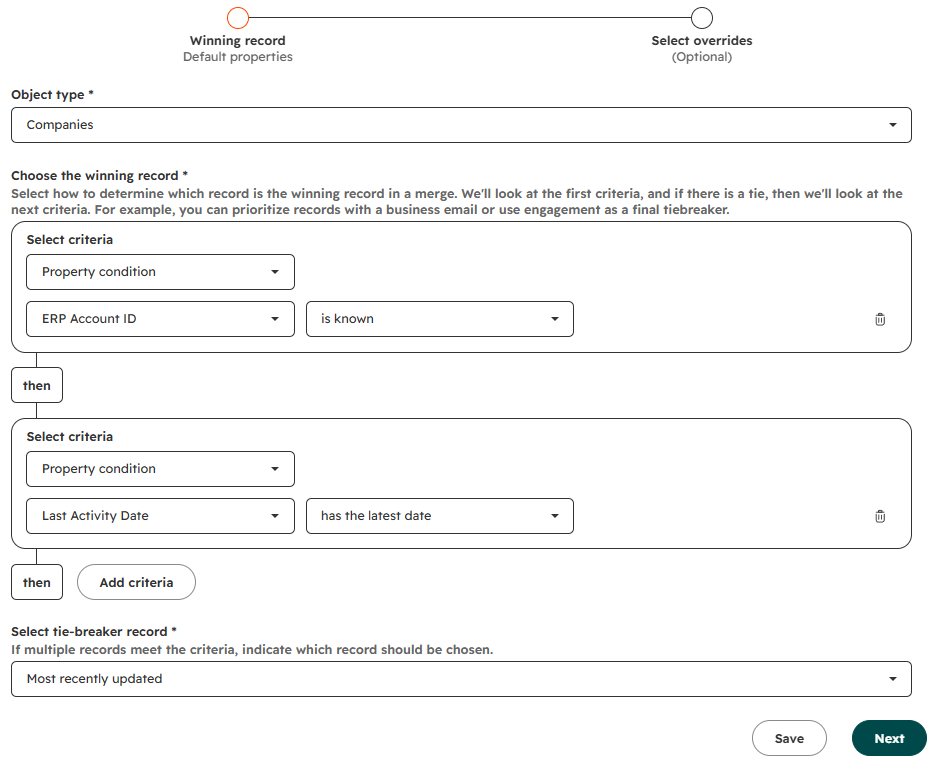
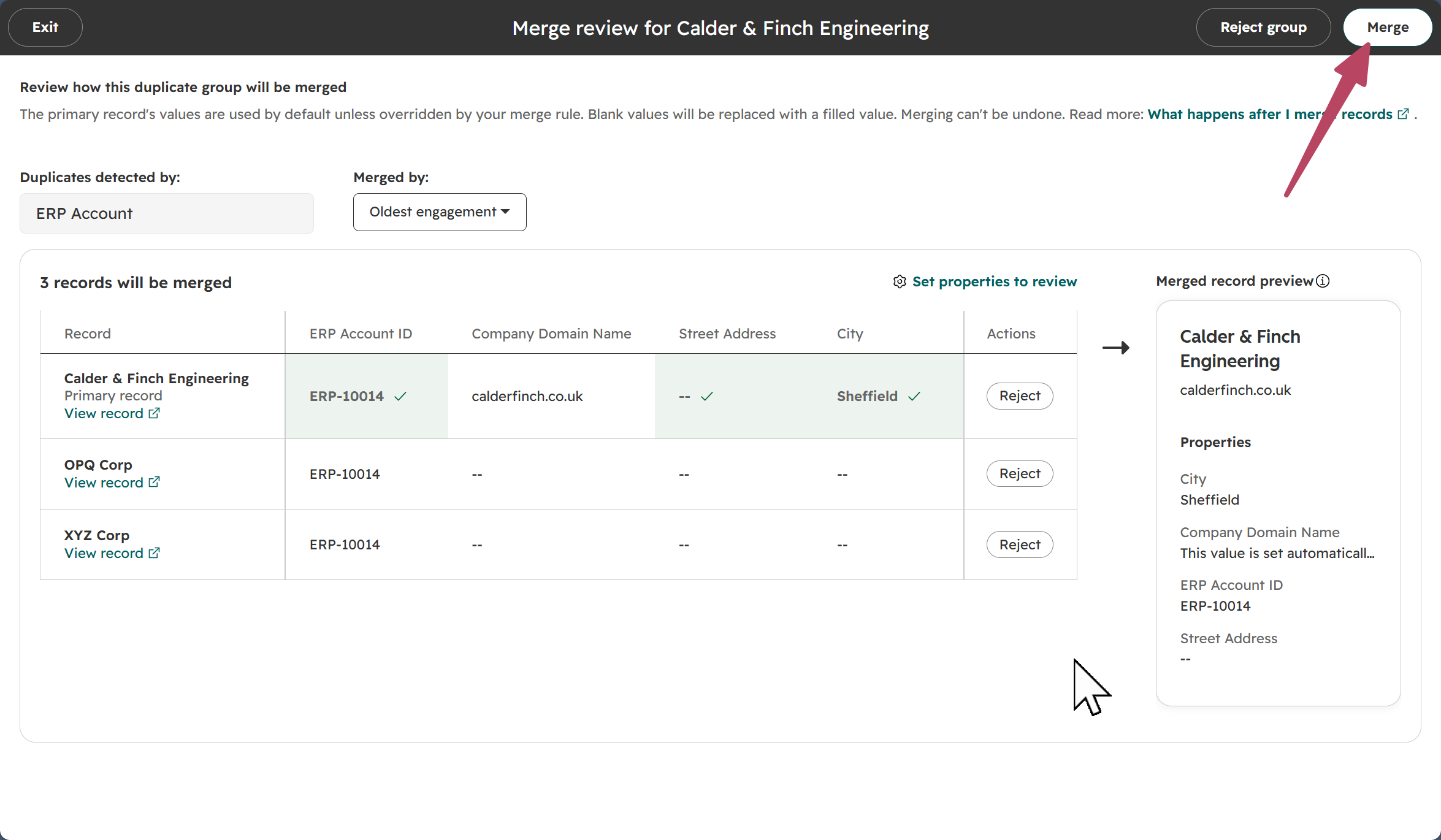
Once you review your duplicates, the merge rules then come in to play to help figure out the right merge path to use. Suggestions can be rejected if more than one record should exist with the same values, but this way someone can take ownership of reviewing suggested merges on a regular basis.
Improving Data Quality with Required Fields
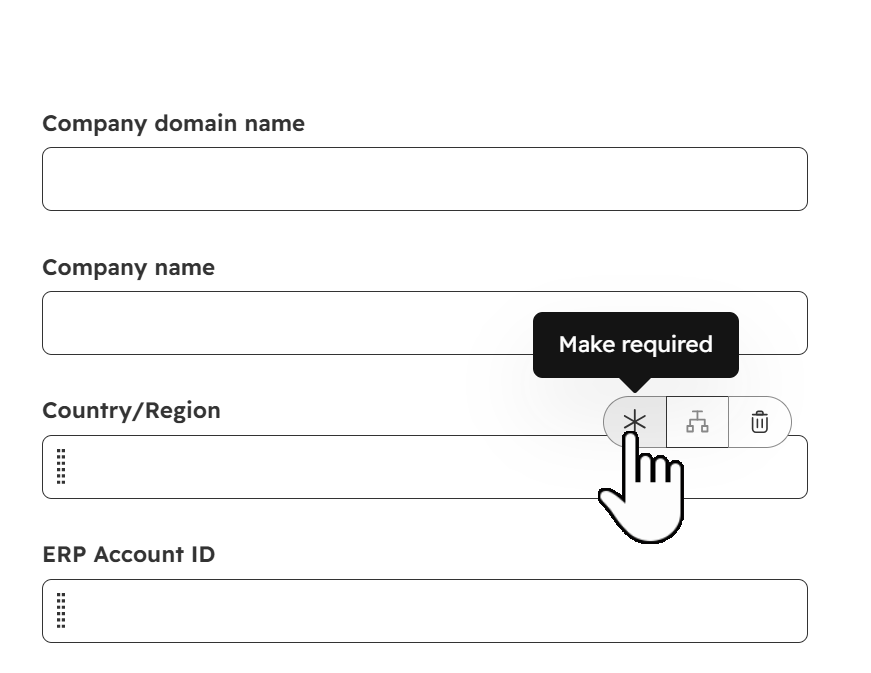
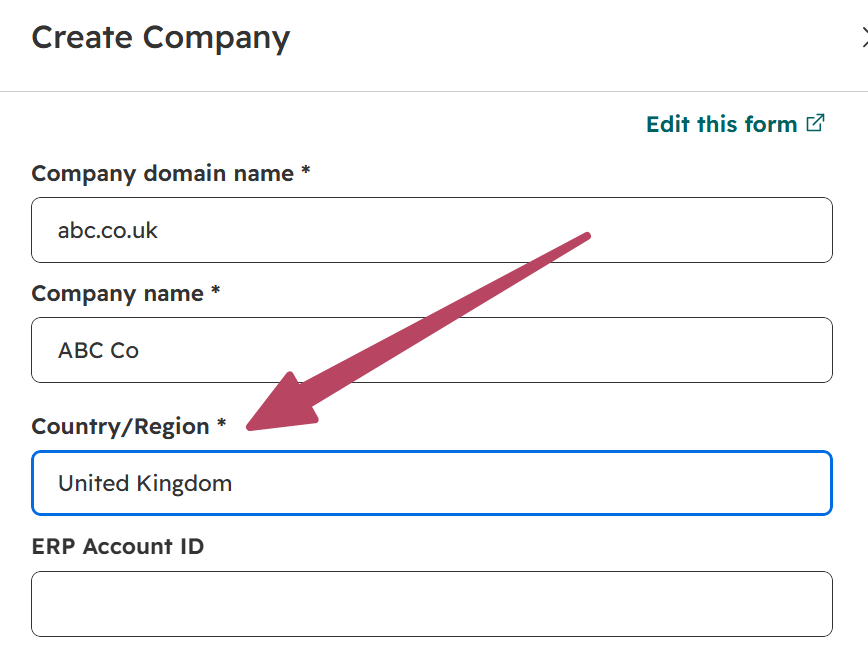
Another way to help keep data accurate is to make fields required. For example, I can make the Country field required when someone is creating a new Company record. This won’t prevent duplicates, but can help if you then have duplicate detection rules that use specific fields to identify potential matches. To do this go to the Objects area in Settings, then from Creating Companies click to edit the form. Here we can hover over a field and click the asterisk to make it required.
This then forces users to add all required fields prior to the Create button being enabled.
I am not naïve enough to think there aren’t other ways data can become dirty, and there are always creative ways users magically find to work around things. But, implementing one or all of these tools and methods can definitely help improve your data quality over time. What methods and options are you using to help?




Leave a Reply