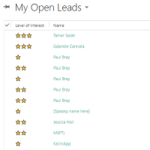

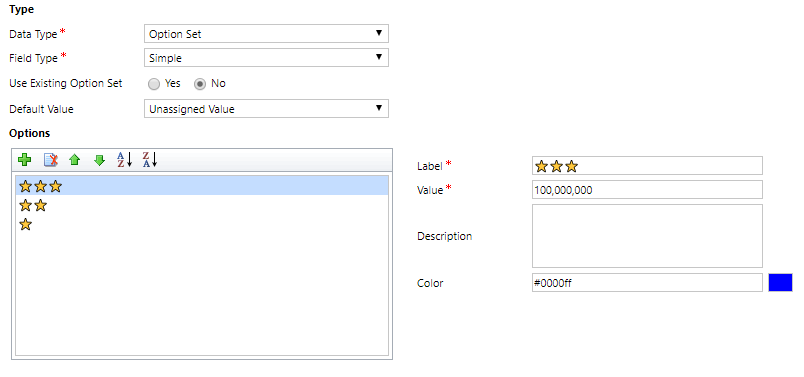
In Dynamics 365 you can add custom icons in grids. It’s a great feature but you need some javascript and not everyone is comfortable with that. You can achieve something just as cool by using emojis instead! Create a new field with a data type of Option Set. Make sure you have sourced your emojis from somewhere. For example, you can get them from Twitter, adding them to a draft tweet then copying them. Add your values, and paste in the emojis as the label. Save the field and add it to your form in the usual way.
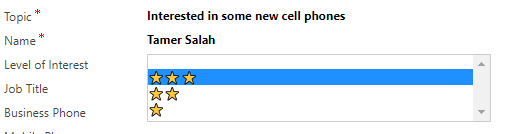
We can now see the values in the dropdown list and can select the appropriate one from the list for each record.
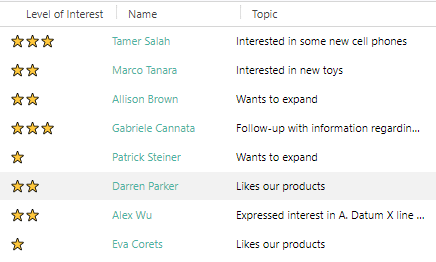
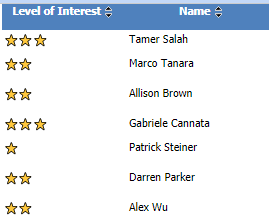
You can add it as a column to your views for a quick visual guide. Very quick and easy to see and spot the right records.
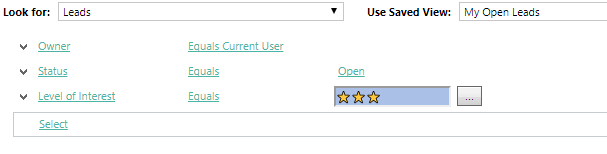
You can also add it to your search criteria in views. It is a great way to get users engaged and really help them embrace the system.
Finally, they will show up nicely on a report too. At first glance, emojis might seem gimmicky in a field, but it’s quick and easy to add them and if used in the right way, can enhance your system.
** UPDATE 02/02/2018 **
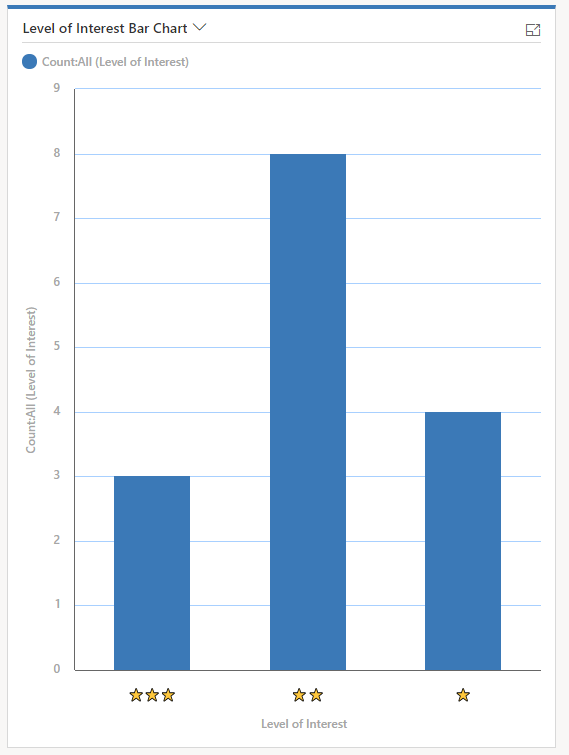
I like to be thorough, so can’t believe I missed out charts first time around! So, I took a look and wanted to share the findings. I created a simple bar chart displaying number of Leads by Level of Interest. Was very sad to see that the emojis used in the option set were plain, boring and blah 🙁
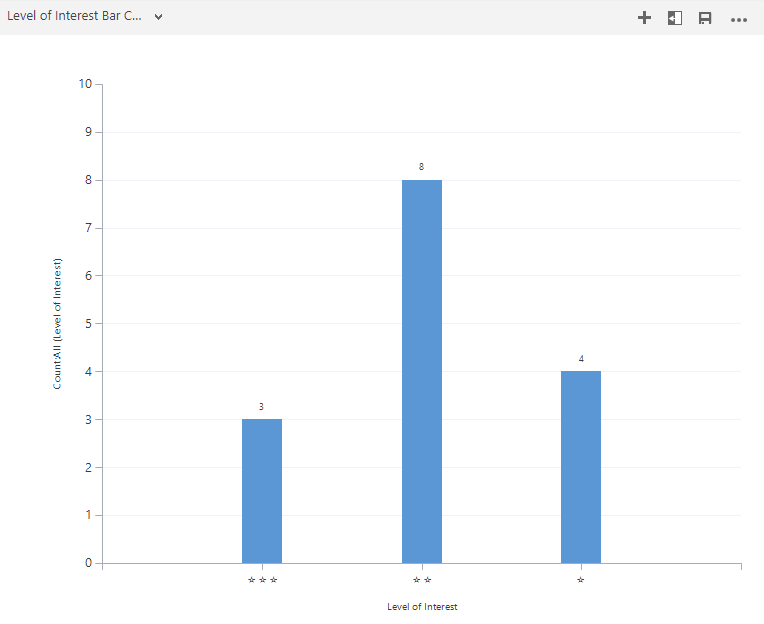
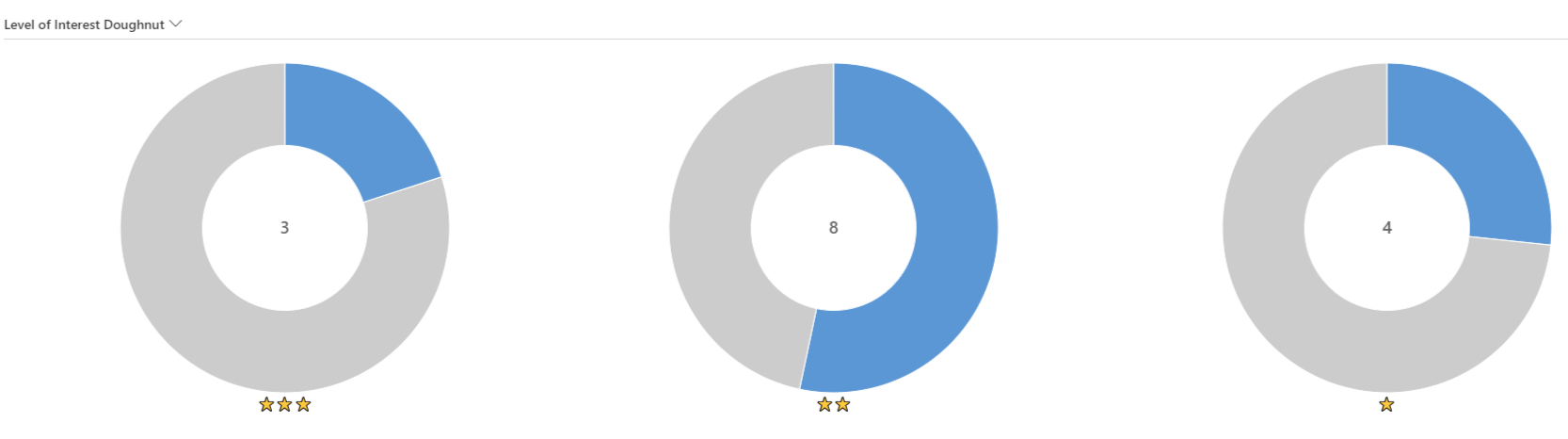
However…. when opening up an app that uses the Unified Interface client…. whoop! Those beautiful stars show in all their glory.
And here on a doughnut chart (only possible on a Unified Interface app).
Anywhere else that’s been missed where this could be used?
Want to just watch how to do this? Check out the video below:




50 responses
THIS IS MY NEW FAVORITE THING!!!!
Thank you! It’s one of those things that is so simple, and I just stumbled across it trying to figure out something else. Lol. How simple right?
Hi MEGAN,
Can you please share the JS code of Emojis in Option Set Fields.
Thanks in advance.
Hi Pravin, that’s the beauty of this, there is no JS code needed for this. Take a look through again, you can see how simple it is but let me know if you have questions.
Thanks Megan,
I got it. Its working for me as well 🙂
Nice one! ????
I am unable to paste an emoji in option set value.
I have downloaded an emoji and stored on my local computer. From there I am trying copy/paste operation.
Am I missing anything?
Hi Vijay, you shouldn’t need to download anything. Literally just select it with your mouse, click on Ctrl+C then go to the option set label field and click Ctrl+V. I usually get them from this site: https://getemoji.com/ – the only thing I can think is if you are on a really old version of CRM?
It’s dynamics CRM 365 v8.2.2.112 on-premise.
Did you try again Vijay using the site I provided a link to? There is nothing to download, it’s literally a copy and then a paste in to the label of the field.
Megan this is absolutely fabulous. It works like a Charm.
Thanks Fernando. It’s amazing how much impact something so simple can have!
Great stuff..Informative one – trued with Uniefied Interface & its amazing..Thanks Megan
You are very welcome Sumeet! Glad you’ve been able to try it out!
This article helped me to implement a flagging mechanism when a New case is created on case management also when an email reply has been received on a case.
Our technical support group are very happy with the new feature because now it is very easy for them to identify new cases and cases that receive a reply.
Thanks a million Megan
Wow! That’s awesome Escarlet! Thanks so much for sharing this. I love hearing of real world scenarios where emojis are used. They are a bit of fun but can also make an impact in a D365 CE system if used in a logical way. Nice work!
Love. Love. Love.
Me too. Me too. Me too. ????
[…] is a big shout out to Megan Walker who wrote a nice article about Using Emojis in Optionsets which is well worth checking out. It reminded me of something we’ve been doing on some Entity […]
Super Fun and great little trick. But is dosn’t seem to work with flags? Could be nice do add and the country dropdow field …
Really? That’s a shame. Did you try it in a new Option Set field? Where did the emojis come from? Might have to test this one, you are right it would be a cool one to add.
Hi Megan. I took the flags from twitter. When e.g adding a Danish flag, it was replaced with “DK”.
But all other works perfekt. Having a blast using your discovery. Best trick in years.
Hi Jacob, this was puzzling so I tested it and yes, found the same thing. After some Googling, I found this which helps explains why this happens for the flags only in emojis: https://gizmodo.com/the-clever-reason-flag-emoji-counts-as-two-characters-i-1595249008
That is really a nice trick – never tried but the coutomce is really good, thanks for sharing!
Thanks Daniel! Appreciate the comment.
Quite nice indeed.
By the way: are you on v.9? If I try this (in 8.2.2 on-premises) the emojis show up, but in black & white.
It seems to be browser dependent. What are you using? If you check in a different browser are they in colour? But yes, this was in version 9.
You’re right, it is browser related. I had only tested in an IE session of our test environment. In e.g. Chrome it works fine
Awesome! In 8.2.2 I found that you can use characters from the Segoe UI Emoji and Segoe UI Symbol fonts. I pick them in Word and copy/paste them into the CRM label field.
However, it looks like CRM converts the Segoe UI Emoji character into its Segoe UI Symbol equivalent.
I spotted this by copy/pasting from CRM label field back into Word.
Interesting find L-A. I wonder if all this was intentional or just a happy accident.
Impressive hack mate!
Thanks Zohaib, and thanks for the LinkedIn request too!
Awesome ????
????????????
[…] can also refer to Megan V’ Walker blog for more […]
[…] This is the subject of the notification. Dynamic values from CRM records can be used to populate it….emojis also work too! […]
Hi Megan,
May I know where did you source your emojis from? A link would be great. I am trying to show this on a customer’s CRM portal.
Thanks,
Mohammed Hameed Hussain.
Hi Mohammed, I was lazy and just copied them from Twitter. I just created a new tweet, added some emojis and copied them and pasted them in to CRM. However, this site seems like it would work for you! https://getemoji.com/
[…] Yammer allows the use of emojis, images and gifs which adds a nice touch to the activity feed (that is if you love emojis […]
[…] think it’s safe to say that the most popular blog post I’ve ever written was all about emojis. Once you know how, they are so easy to incorporate in to option sets and field labels. Another way […]
Hi Megan
We used this recently and it worked a treat. However we then tried setting the emoji in the option set using a business rule, setting the value like you normally would. For some unknown reason the business rule only runs when you are logged in as System Administrator and not as a mere mortal 🙂
Any idea if there are privileges that might be needed here? The business rule is one of many on that form – all have the scope of All Forms, and all the others work!
Thanks Emma
Hi Emma, interesting… I hadn’t tried Business Rules with emojis in an option set. Do you want to email me some screenshots? Might be easier that way, happy to take a look! hello@meganvwalker.com
Very good hint, thanks.
Wow, what a great and handy tip. Thanks
I tried this on a trial version v9.1, but I have issues with sorting in a view (unified interface).
I used thumbsup/down.
Regardless of the sort direction, thumbs down is Always shown first.
I tried with stars (one, two, …) but same issue with sorting.
Anyone has the same, and know how to solve?
Hi Binau, that’s interesting, and something I hadn’t tested to be honest. What happens with the stars? What order does that go in? The emojis aren’t going to be handled the same way as alpha/numeric, but it could be that it is using the unicode value perhaps. Or, failing that, maybe it’s using the field value…. but I am guessing it’s the unicode. So, U+1F600 is actually ????
The option set field is optional in my case.
The non-filled are grouped together, and the ones being filled are together.
Bot those having a values (and icons) seems to be sorted completely random (one start in between records with two stars).
Not at all clear how it is sorted.
If on uni-code, I would guess it woulkd group all with the same number of stars together.
[…] 647390001 it’s Neutral, and if neither of those, it must be Positive. We can also add in some emojis! We will use this information later on the custom […]
[…] is a big shout out to Megan Walker who wrote a nice article about Using Emojis in Optionsets with Dynamics 365 which is well worth checking out. It reminded me of something we’ve been […]
[…] have been reading my blog for a while you will know there are several things I love to write about (and no, not Emojis ) – that’s Forms Pro and Portals. So I think it is about time I combine the two and […]