
What Happens When You Hide Outbound Marketing?

Related:

2 minute read

Information in this article was accurate at the date of publication.

If you are using Customer Insights – Journeys and did so before it became Realtime Marketing only (prior to September 2023), Outbound Marketing is still a thing for you. However, as you SHOULD know, Microsoft have announced that June 2025 is when it will truly go away for good. Hopefully you’ve already started making that transition. Once you are through the woods and using Realtime Marketing ONLY, it’s time to get Outbound hidden and make sure none of your users are going back to old habits. Take a look at how simple it is, and get a list of all the items that will no longer be there in the navigation for you.

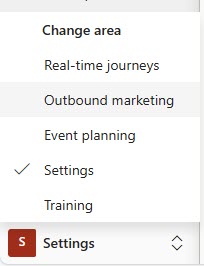
First, this is what I am referring to. If you currently don’t see Outbound marketing, there is nothing for you to do.
Click to view in detail

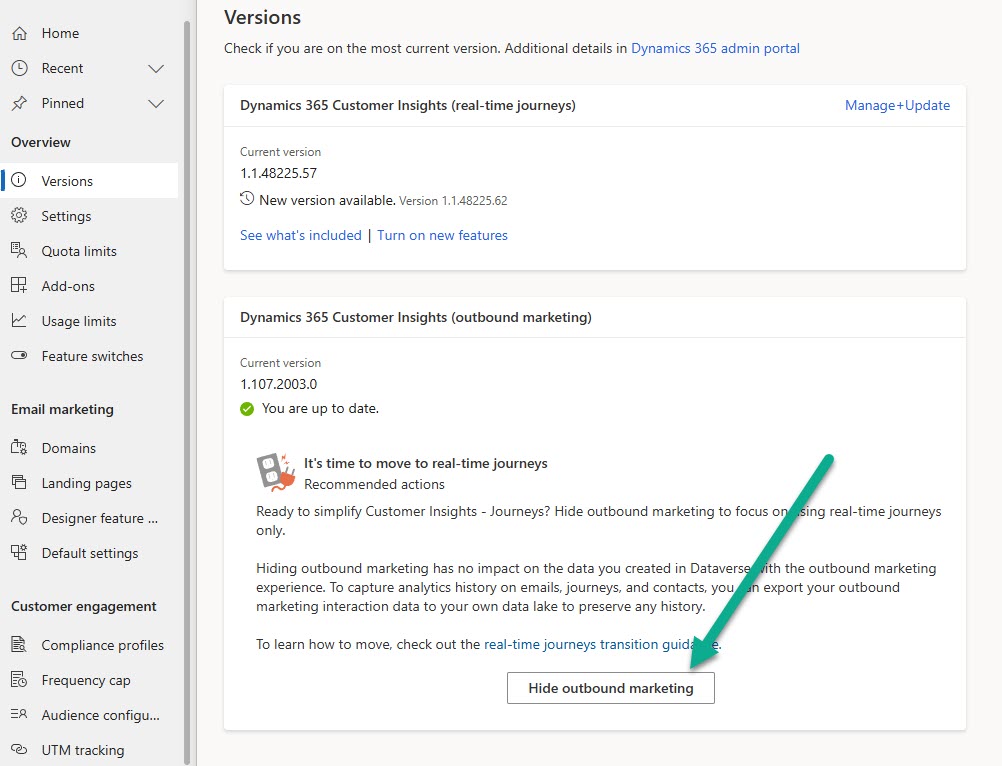
If you do see it, go to the Settings area and then to Versions. You will see a very simple button that says Hide outbound marketing. Ready to actually hide it? Go ahead and click the button. It’s as simple as that.
Click to view in detail

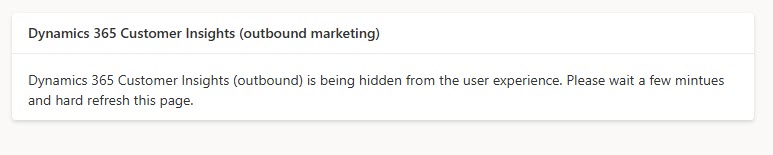
You will see a message that it’s in progress and being hidden.
Click to view in detail

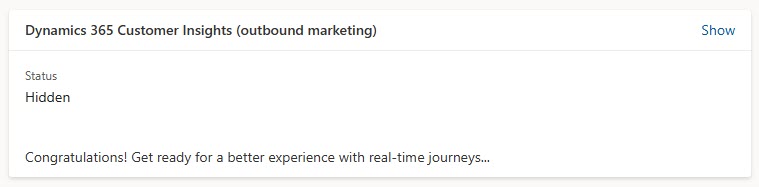
Once you refresh the screen, you should see that the status is hidden.
Click to view in detail

Now the navigation only shows Realtime, Event planning, Settings and Training, no more Outbound marketing there.

Click to view in detail

What you will also notice is the Settings area becomes a lot shorter in the navigation menu. Below are all of the items that will be hidden and no longer in the navigation. So take a look and make sure there isn’t anything you are still using or need access to before you do this.

Overview

  • Usage Limits

Email Marketing

  • Landing Pages
  • Default Settings

Customer Engagement

  • Social media accounts
  • ADDED – Journey Settings

Event Management

  • Webinar providers
  • Webinar configuration
  • Event administration
  • Website table configurations

Lead Management – all of it

  • Scoring configuration (for outbound)
  • Form matching (for outbound)
  • Lead matching strategies
  • LinkedIn field mapping

Data Management

  • Analytics configuration
  • Dataset configuration
Megan V. Walker avatar

6 responses

  1. Nina avatar
    Nina

    Hi Megan!
    Thank you so much for this post and your blog in general. Is there already some information available about what’s going to happen after OBM is tuned off? I know that everything OBM related will be hidden, but do you know if the tables and records will still be in the systems?
    I’ve got a client that needs the insights of the OBM emails, because they want to know f.ex. if a specific contact got one specific email from x years ago.
    I have not made a MS Support Case yet, but I saw your blog post and thought I might try asking you.
    Best regards,
    Nina

    1. Megan V. Walker avatar
      Megan V. Walker

      Hi Nina, I haven’t seen anything explicit about the data, but I believe it will still be there from a reporting perspective, but not available for adding to moving forwards after June 2025.
      https://learn.microsoft.com/en-us/dynamics365/customer-insights/journeys/transition-faqs

  2. Mark Storey avatar
    Mark Storey

    How do we remove Outbound marketing now and save our selfs the license costs as we have already transitioned over to customer insights

    1. Megan V. Walker avatar
      Megan V. Walker

      Hi Mark, pricing is not something I can advise you on. I would suggest going to your partner (or wherever you purchase your licenses from) and ask them to advise and see if you can reduce your costs now. Even if you are using Customer Insights – Journeys now and not touching Outbound, your licenses have a renewal date, and typically you can’t speed things up in order to reduce your costs.

  3. Camilla Markus avatar
    Camilla Markus

    Hi Megan, Thanks for a great blog post! I have a question that some customers have asked me – can you undo hiding OBM if you need to?

    1. Megan V. Walker avatar
      Megan V. Walker

      Hi Camilla, yes for now you can unhide and show it again if needed. It’s noted in part of the blog article that you can just show it again.

Leave a Reply

Your email address will not be published. Required fields are marked *

SUBSCRIBE TO GET CONTENT

Want more articles like this?

Choose the topics that interest you and get new articles delivered directly to your inbox.