If you’ve not being using Microsoft Clarity, it’s definitely a tool worth using. It’s totally free, and is a user behaviour analytics tool that helps you understand how users interact with your website. You can watch recordings, view heatmaps, understand the ‘share of authority’ your content has, compare against competitors and understand where your site might have JavaScript errors or create a less than intuitive journey for visitors. It also has a bunch of integrations you can use. Along with tools like Google Analytics and Google Ads, you can also connect to HubSpot. In this post we’ll take a look at what the setup entails, and then what to expect to see in the activities timeline on a Contact record.
Before You Connect Microsoft Clarity to HubSpot
First, this post assumes you already have Clarity set up, and have the HubSpot tracking code on your site. Also, if you have visitors from certain regions, you will need to be sure some form of cookies are being stored on your site to allow Microsoft Clarity cookies to be used. Starting October 31, 2025, Clarity began enforcing consent signal requirements for page visits originating from the European Economic Area (EEA), United Kingdom (UK), and Switzerland (CH). A valid consent signal is required to ensure full functionality of Clarity features for users in these regions.
Setting Up the Microsoft Clarity HubSpot Integration
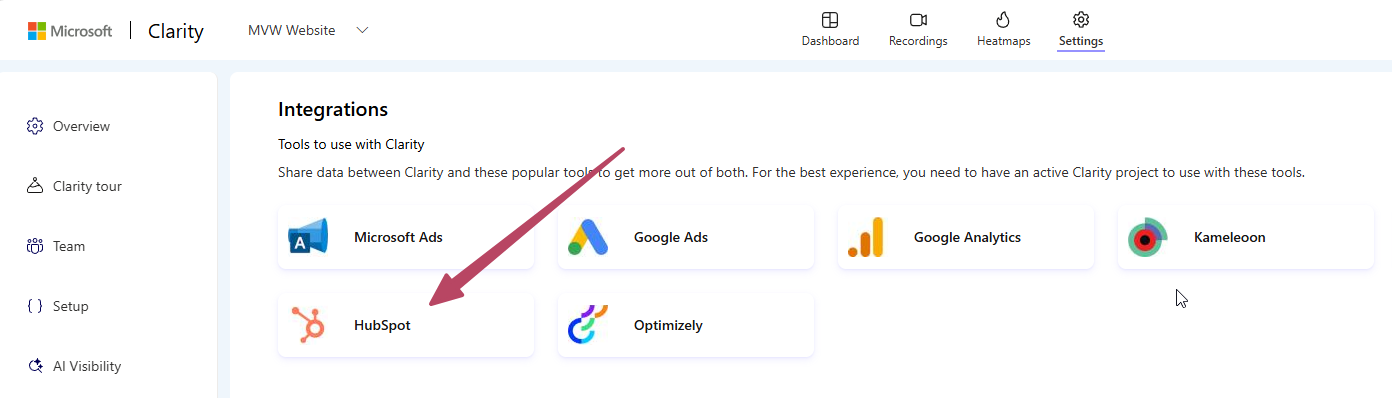
To get started with the HubSpot integration, navigate to settings, then integrations from the navigation menu on the left, then click on HubSpot.
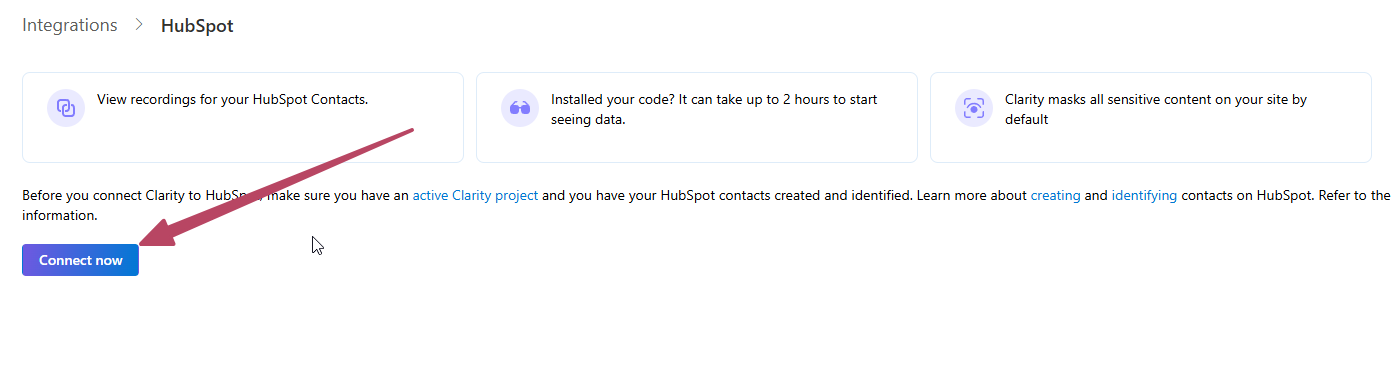
From the next screen, click Connect now.
Next you will be prompted to log in to your account to make the connection.
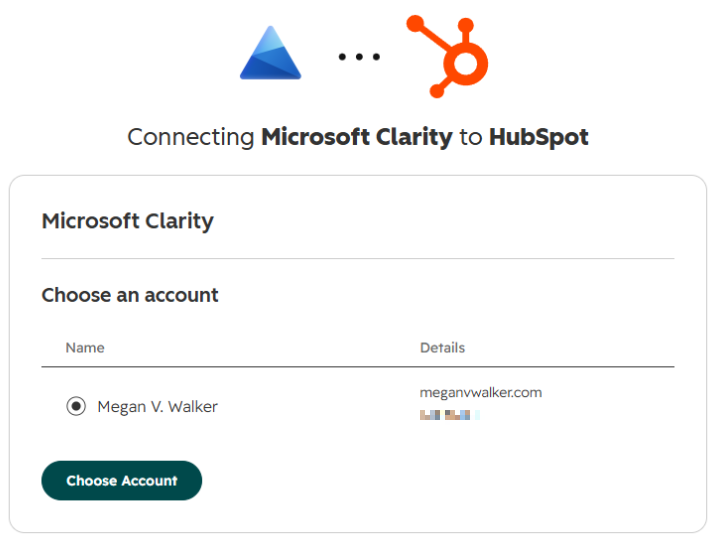
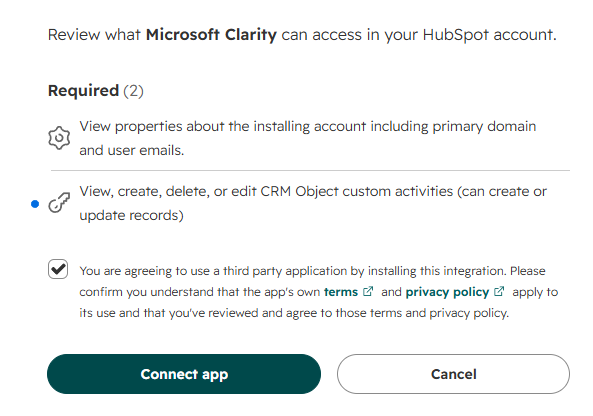
Agree to the terms and connect the app. That’s it in terms of set up. Pretty easy and straight forward.
Viewing Microsoft Clarity Events on HubSpot Contact Records
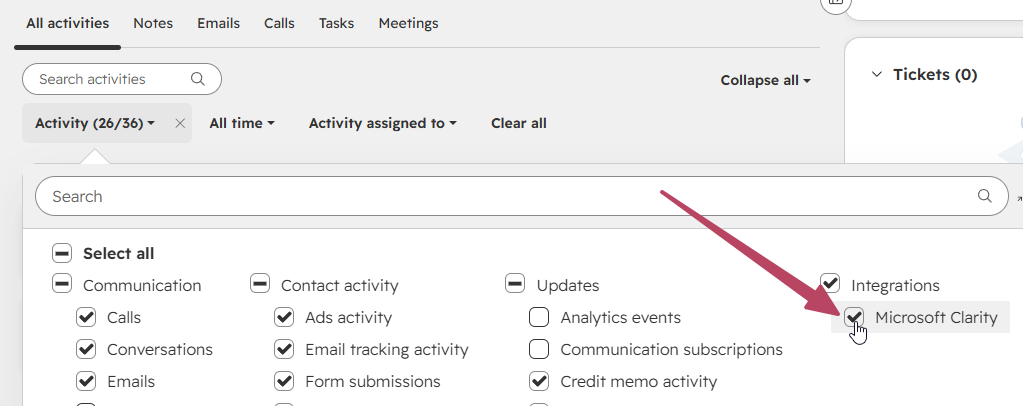
What you will then need to do is go to a Contact record in HubSpot, open up the list of activities and select Microsoft Clarity from the Integrations section. That will make sure any events captured can be seen for a Contact.
Creating Segments to Find Contacts With Clarity Events
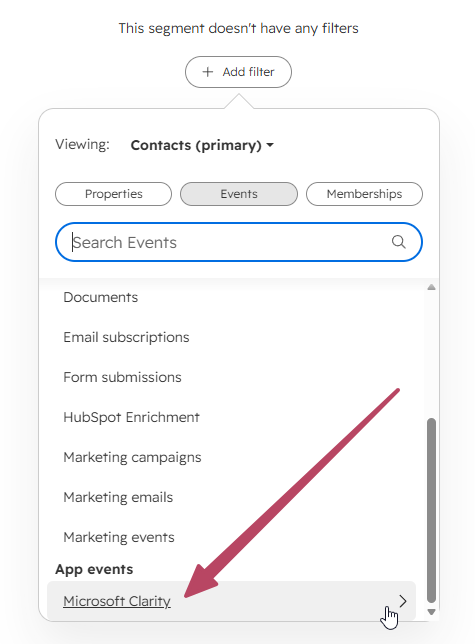
It might be worth creating a couple of segments to make it easier to find any Contacts that have a Clarity event. Create your segment then look for events and find Microsoft Clarity in App events.
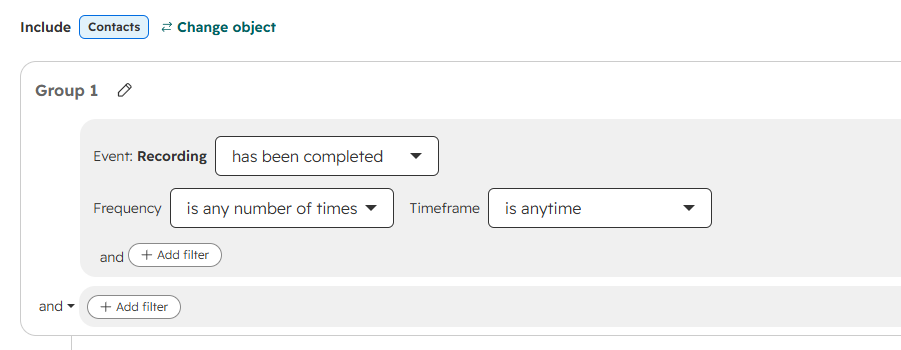
You can then choose from a Recording or Smart Event.
Testing the Integration and Viewing Session Recordings
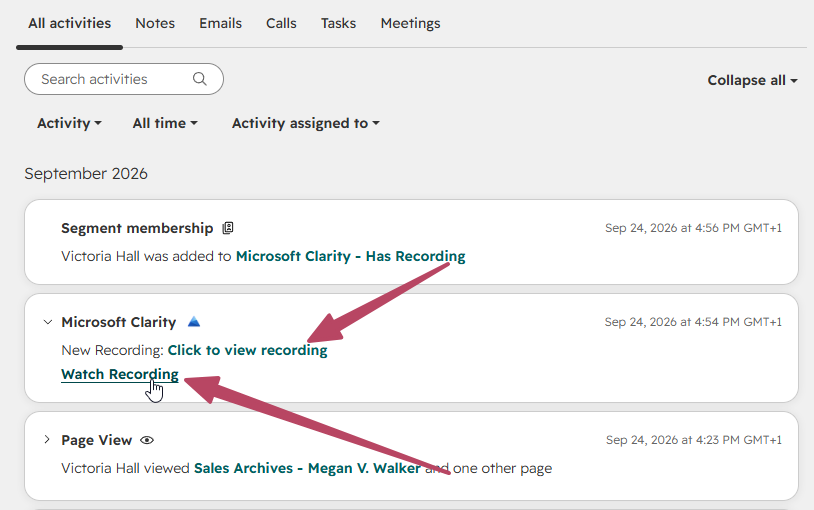
If you are testing this out, you will need to make sure that the browser not only has the HubSpot cookie (hubspotutk) set, but also the Microsoft Clarity cookies (_clck and _clsk) set. Then start moving through the website to generate a recording with multiple page views. Note that it can take several hours from the site visits to the recording showing up in Microsoft Clarity. If you can identify it there, likely you will see it in HubSpot soon afterwards. Once you do, you will notice there are two links. Click to view recording will open it up directly in Microsoft Clarity. Watch Recording will open it in a popup overlay within HubSpot.
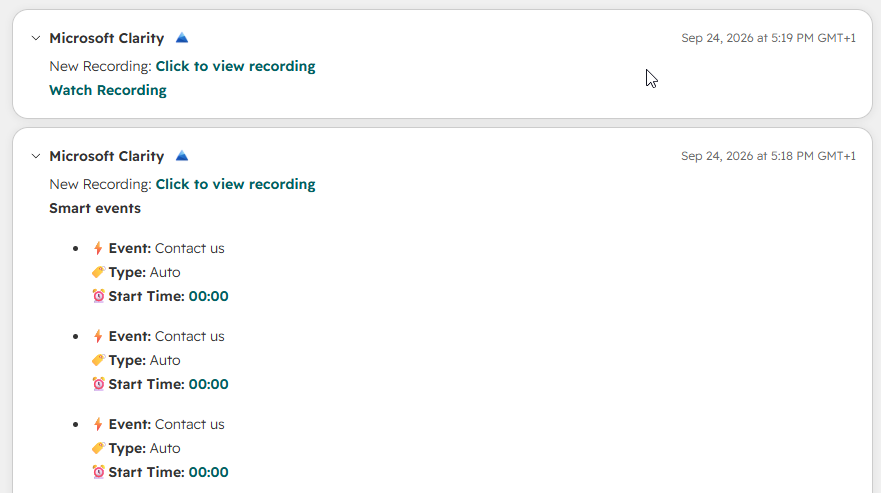
You will also notice that those with Smart events look a little different. Smart events let you set events in Clarity such as someone going to your Contact Form, or Subscribing, or following a path. This is up to you if you want to set any up but is a Clarity feature.
Using Labels to Analyse HubSpot Contacts in Microsoft Clarity
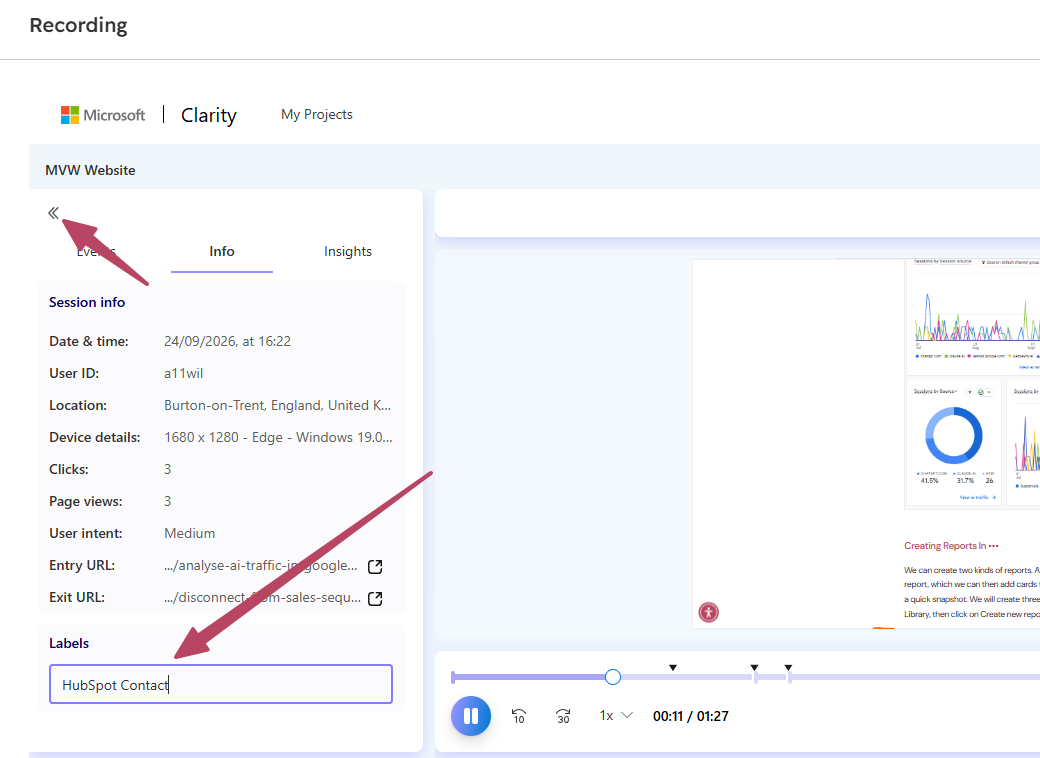
If you want to group your recordings that are linked to HubSpot Contacts, this is the easiest approach. When viewing the recording you can set a label at the bottom left. Here I have added HubSpot Contact to this recording.
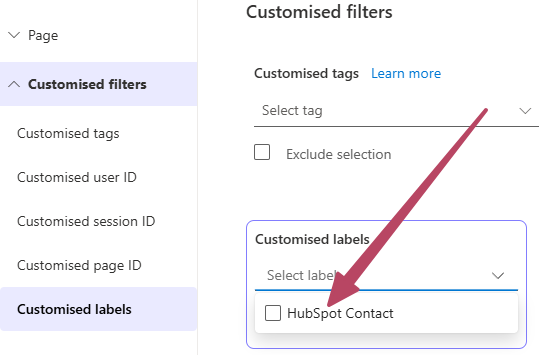
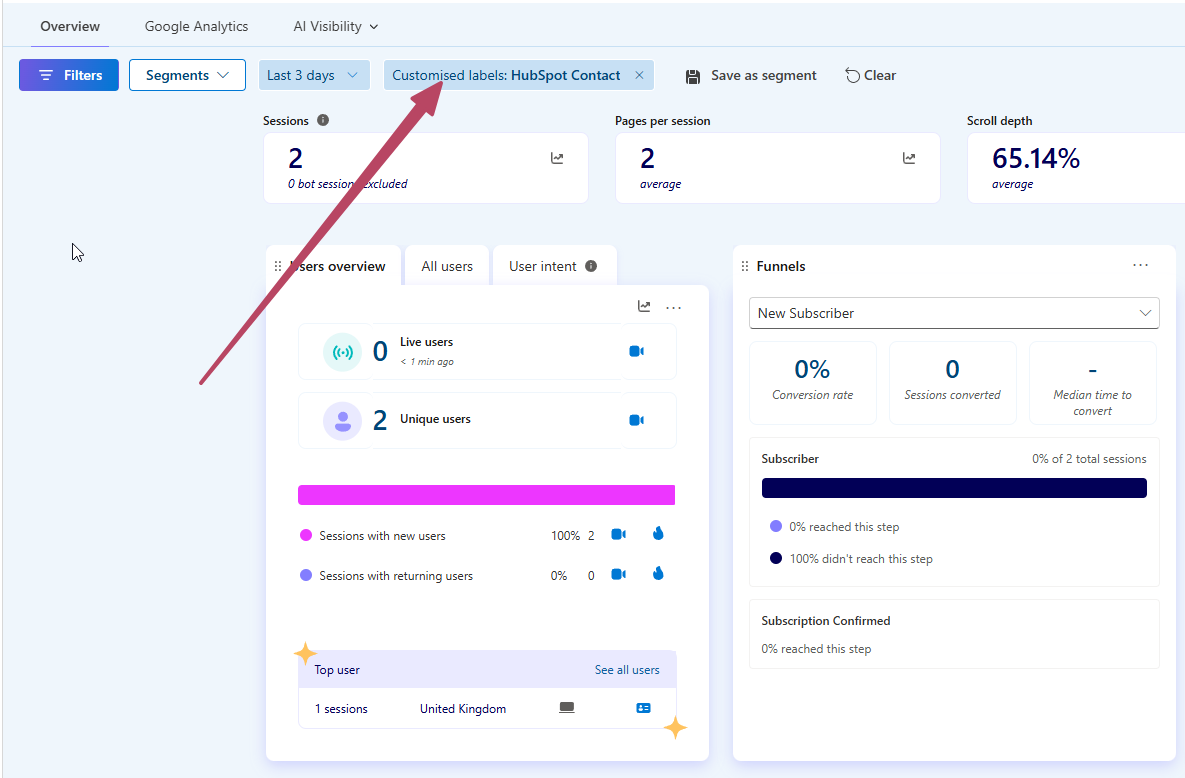
Now I can use the customised label as a filter to view the dashboard, recordings or heatmaps from visitors that are HubSpot Contacts.
Here we can see the main overview dashboard filtered based on this, where we have 2 sessions and all of the analytics for those sessions.
That’s it! Pretty straightforward. The most ‘complicated’ part is really about if and when your recordings show up as a lot of it is based on where your visitors are coming from and if they have allowed cookies. Are you already using this integration? Are you gaining much value from it?




Leave a Reply