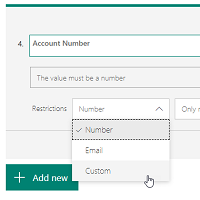
We recently looked at using the Restrictions option on a Text field in Forms Pro, which gives us the option to set it as an Email address. This provides validation checking to make sure the value entered by the respondent is correct. What if you have other fields like this? We have an option in restrictions that lets us set a custom validation. Let’s look at how to do this.
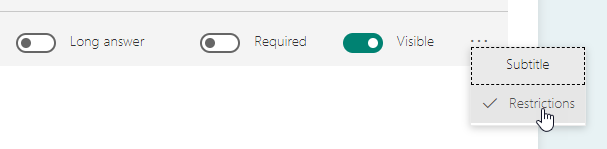
First, add your text field. Next, click on the ellipsis (three dots) and click on Restrictions.
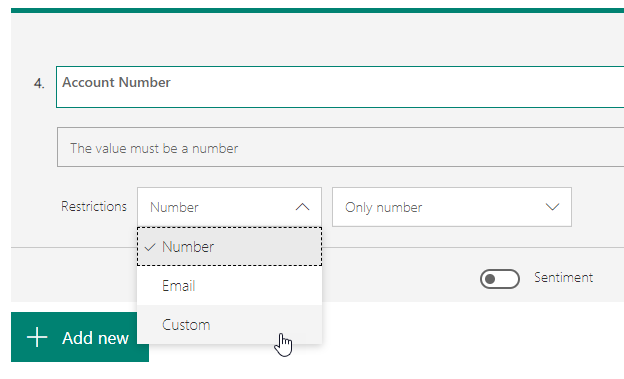
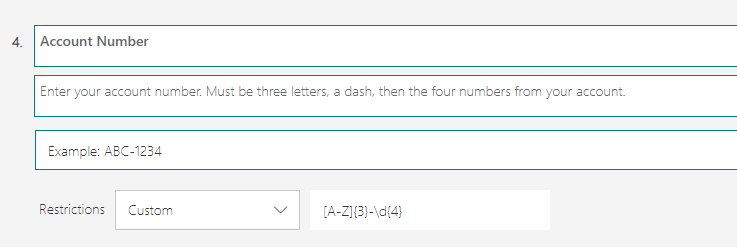
From there, select Custom. We are going to request an Account Number from the respondent.
In order to add in your custom validation, you need to know and understand how to write regex, or regular expressions. I am not that great at it, but luckily for me, I have a smart brother I could ask. 😉 So thanks, Owen Rumney! So, for this example, the Account Number in question is 3 capital letters, a hyphen, then four numbers. The regex to use for this is [A-Z]{3}-\d{4}. A field with a validation message is added, with the text ‘Enter value in the specified format’.
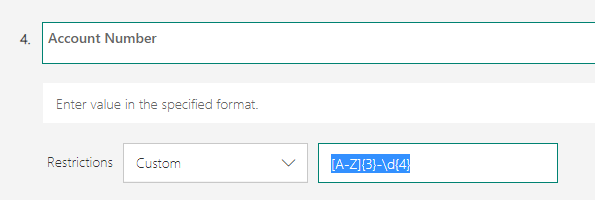
You can type something else in that validation field, something that will make sense to the respondent if they enter it incorrectly. Add a subtitle to the question, and this will then be displayed under the question for the respondent.
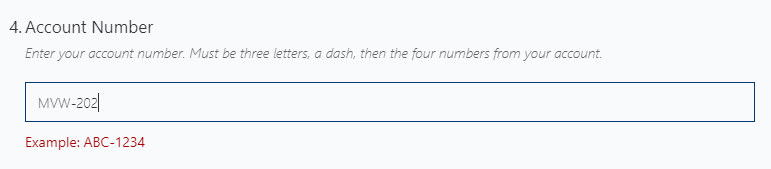
If we now fill out the survey, when typing into the field, we see the validation message we added. This will provide an example of what the value should look like.
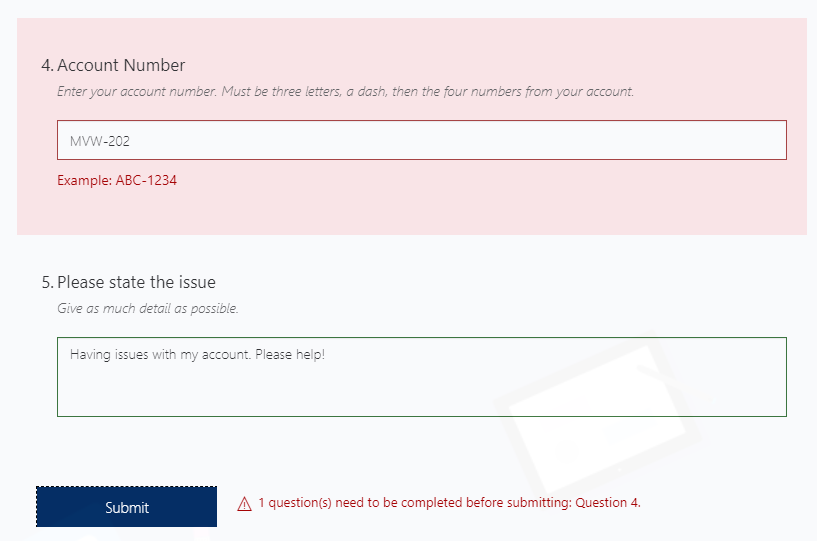
Finally, if the respondent attempts to submit the survey without matching the expression used in the custom restriction on the field, they will see a message at the bottom of the form indicating the question that needs reviewing and adjusting.
Want to just watch how to do this? Check out the video: https://youtu.be/LeJ9sBfzVOI




7 responses
It’s worth saying there is probably no regex in the world that someone has not written in the past – so don’t be scared.
Use google to search for what you want and then test it at any of the the numerous websites that allow you to edit and test them I personally like https://regexr.com/ which also explains what is going on.
And if you really want to learn how they work use https://www.regular-expressions.info/ which is the basis of the O’Reilly cookbook on Regex.
Thanks for sharing some useful links Ben!
[…] you can do custom validation on fields with Regular Expressions (regex). My friend Megan Walker blogged about this recently, showing how easy it is to add the custom formatting checks to a field on your survey. Megan and I […]
[…] an email address is straight forward enough too. We also have the ability to do formatting checks using custom regular expressions which I wrote about here. I’ve been told it’s straight forward (I am sure it is!), but for me, regex is not really ‘my […]
[…] you can do custom validation on fields with Regular Expressions (regex). My friend Megan Walker blogged about this recently, showing how easy it is to add the custom formatting checks to a field on your survey. Megan and I […]
Why I enter \d{10} for user fill answer only 10 digit but not work bcoz user can fill >= 10 digit then submit is done.
What’s my wrong?
Hi Charkkrit, looks like you will need something a little different. My expression was showing that you needed AT LEAST a certain number and did not stop at that number. So use this expression instead:
^[0-9]{10}?$
It will make sure the user has submitted EXACTLY 10 digits in to that field.