If you are sending out surveys to anonymous people, perhaps the first time you are collecting any kind of data from someone, an email address is a likely piece of information you’ll want to gather. Up until now, this has just been a text question with no validation at all. People could miss out the @ symbol or just type in anything without us knowing if it’s an email address. That’s now changed! Let’s look at how to add email validation to your question.
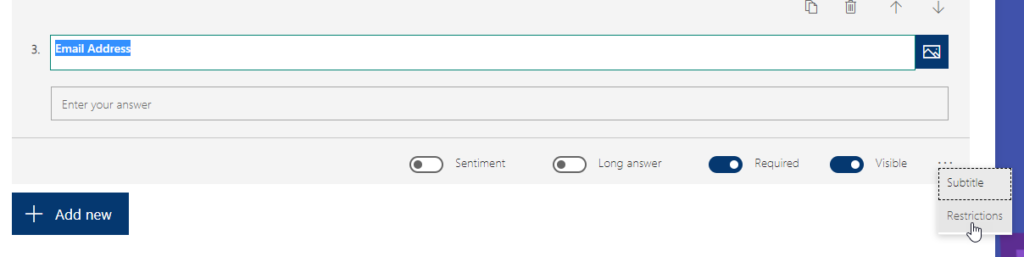
First, add your text question and add in the question text of Email or Email Address. Then click on the ellipsis (three dots) on the bottom right of the question and click on Restrictions.
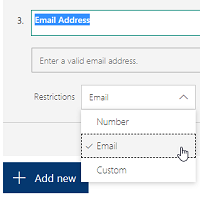
Once you have done that, a restrictions field shows. Click on this and select Email from the list. More on the Custom option in a follow-up blog post!
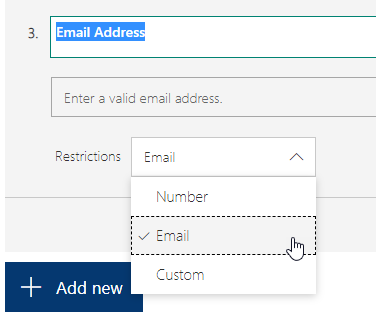
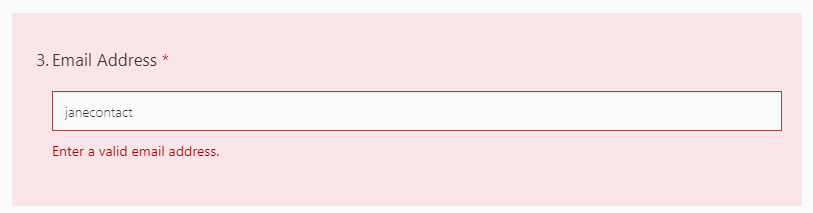
Now when someone starts typing in the field, a validation message will appear stating ‘Enter a valid email address.’.
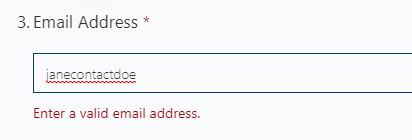
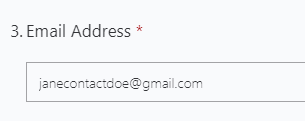
Once the email has an @ symbol and a dot after the domain, it will validation and the message will disappear.
If the respondent attempts to submit the survey and their email address hasn’t validated correctly, the survey cannot be submitted and a warning will show.

In addition, a red highlight will appear around your Email Address question. Keep in mind, this is not checking the validity of the email itself, just the format. Someone can still enter donaldduck@fakemail.com if they want to! 🙁
Want to just watch how to do this? Check out the video below:




7 responses
[…] Email Address Validation in Forms Pro – Megan V. Walker […]
Hi Megan, great article. Is there a feature in Microsoft Forms Pro a.k.a Dynamic Customer Voice to create re-enter email address to minimize typo?
Hi Heri, apologies for the delay, I have been on holiday/vacation for the past week. At the moment, there is no way to do what you are looking for. You can’t compare two fields that have been entered at the time they are added.
Is this description a feature request or existing functionality? I do not see the Email or Custom options in my forms. All I see is number and all the number options (greater Than etc)
Hi Mark, if you do not see those options then you are likely in regular Microsoft Forms, and not in Customer Voice.
I am using Forms pro however I am not showing an option for email under Restriction.
When you say Forms Pro, do you mean Dynamics 365 Customer Voice, or regular Microsoft Forms because there is a big difference. The option is definitely there on a text question, but ONLY in Customer Voice.